
Introducing Our Latest Ambient Sounds Upgrade!
The SoCreate Weekly Museletter
Hey SoCreators,
In this week’s Museletter:
New update to ambient sounds
How to practice screenwriting
How to sell a screenplay to Netflix
Explore what’s new with SoCreate below!
New Update to Ambient Sounds
To make Storyteller even more immersive, you can add Ambient Sound! In addition to using our AI to generate imagery and character voices, you may also add ambient by describing the sound environment for each of your actions or scenes. This will add another rich layer to your audio-visual Storyteller output.
Ambient sounds, such as birds chirping, cars passing by, or wind moving through the trees, make your audience feel like they’re in your story’s world. In Storyteller, adding this new layer of sound requires just a few words of description.
Here is how it works:
Click the sound button, and a wave icon will appear on each story item.
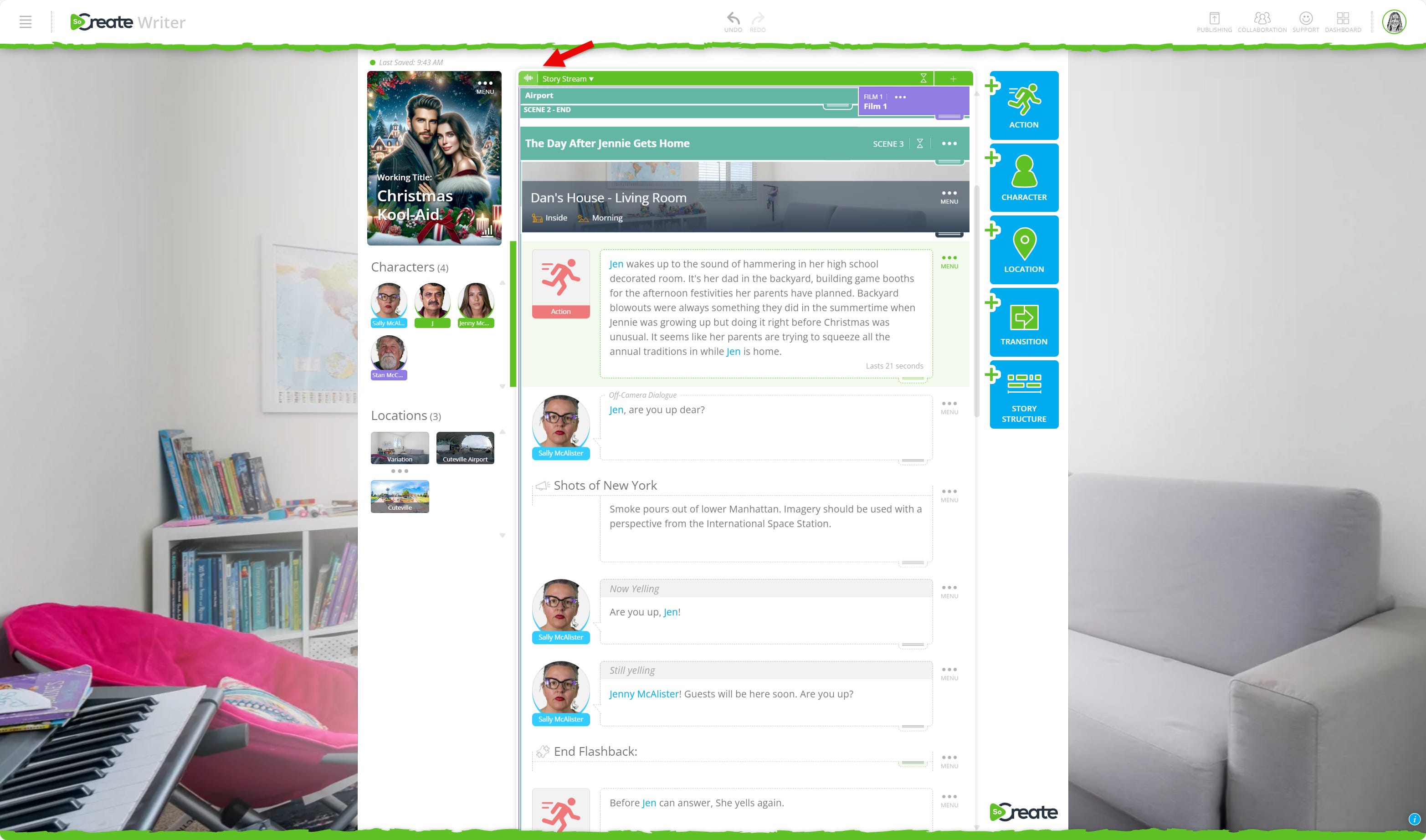
Select the wave icon to add your ambient sound description.
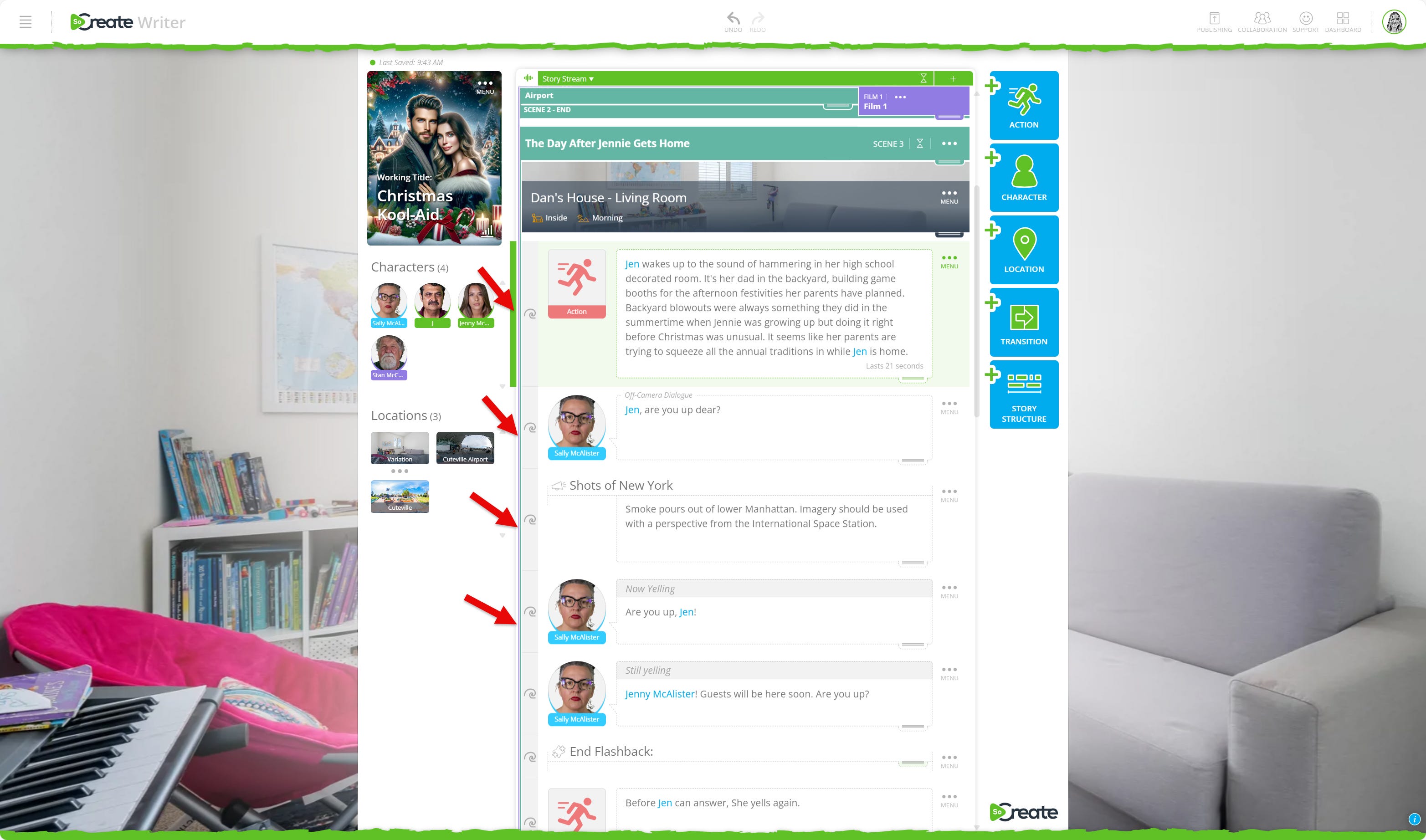
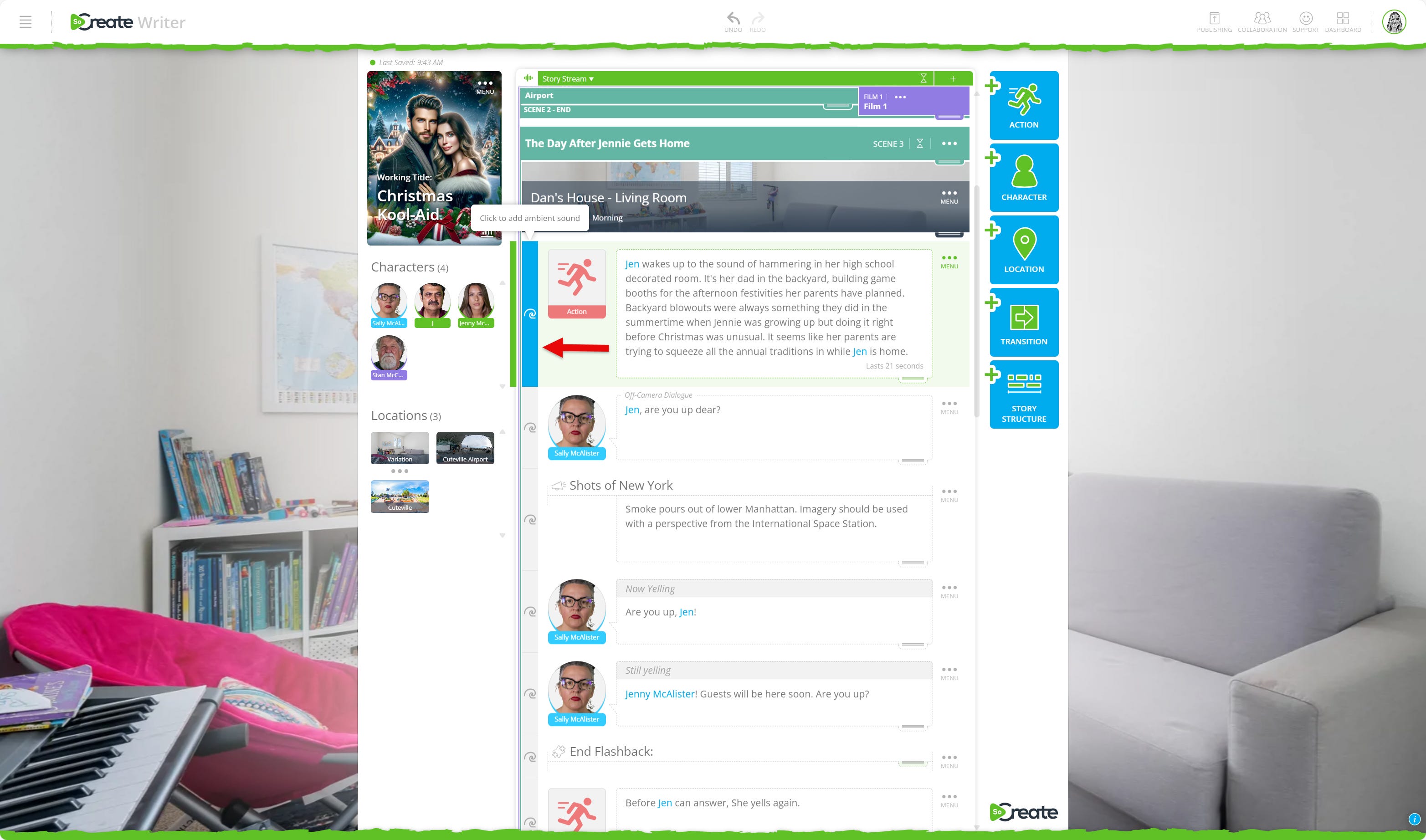
Write a description of the sounds you want to hear in the background of your story. For example, if part of your story takes place on a beach, you might write the ambient sound description of “waves crashing and seagulls squawking.” You also have the option to choose whether the sound loops continuously or plays just once by checking or unchecking the box. If you stretch a sound across many items, it is usually best to have it loop.
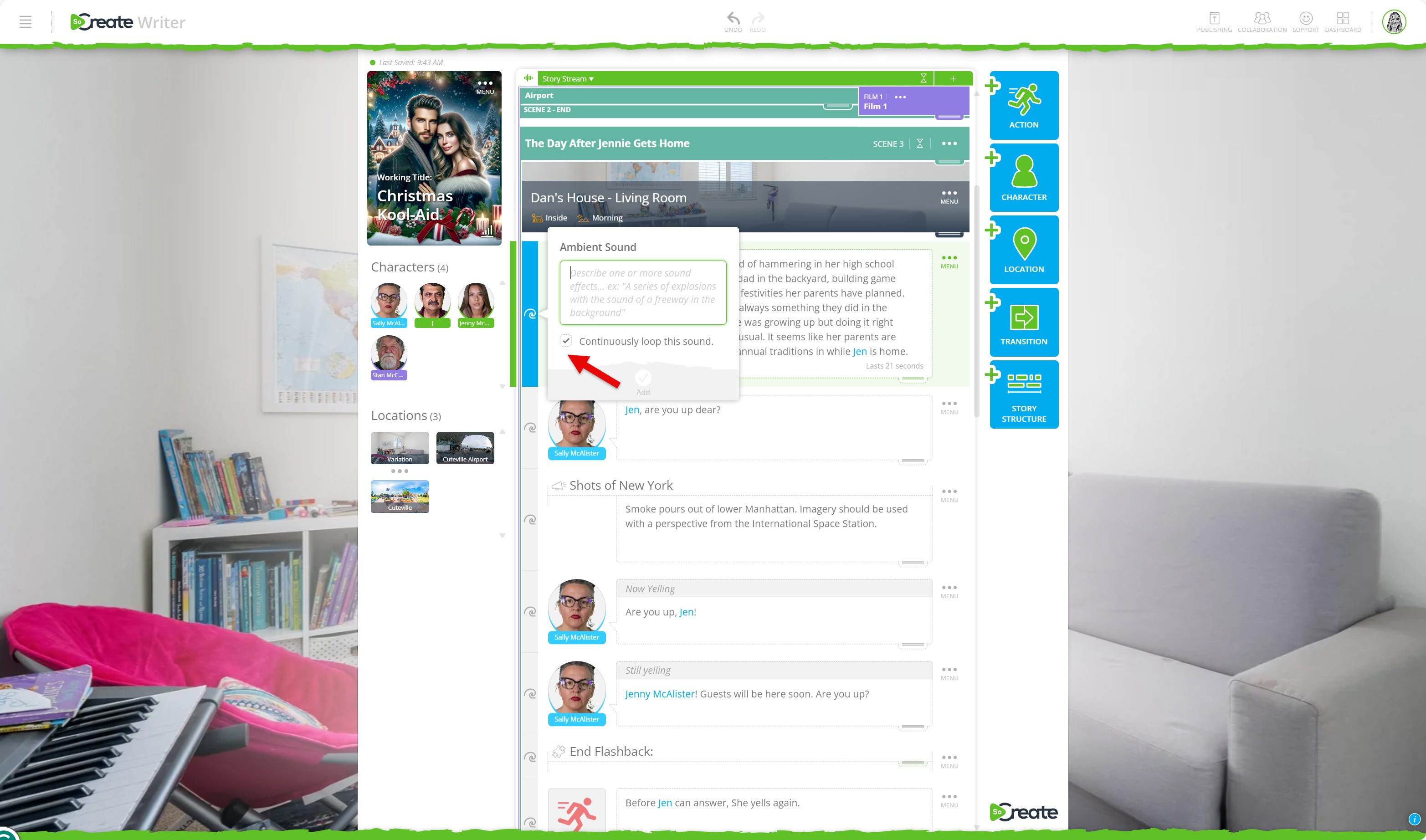
Press Add to confirm.
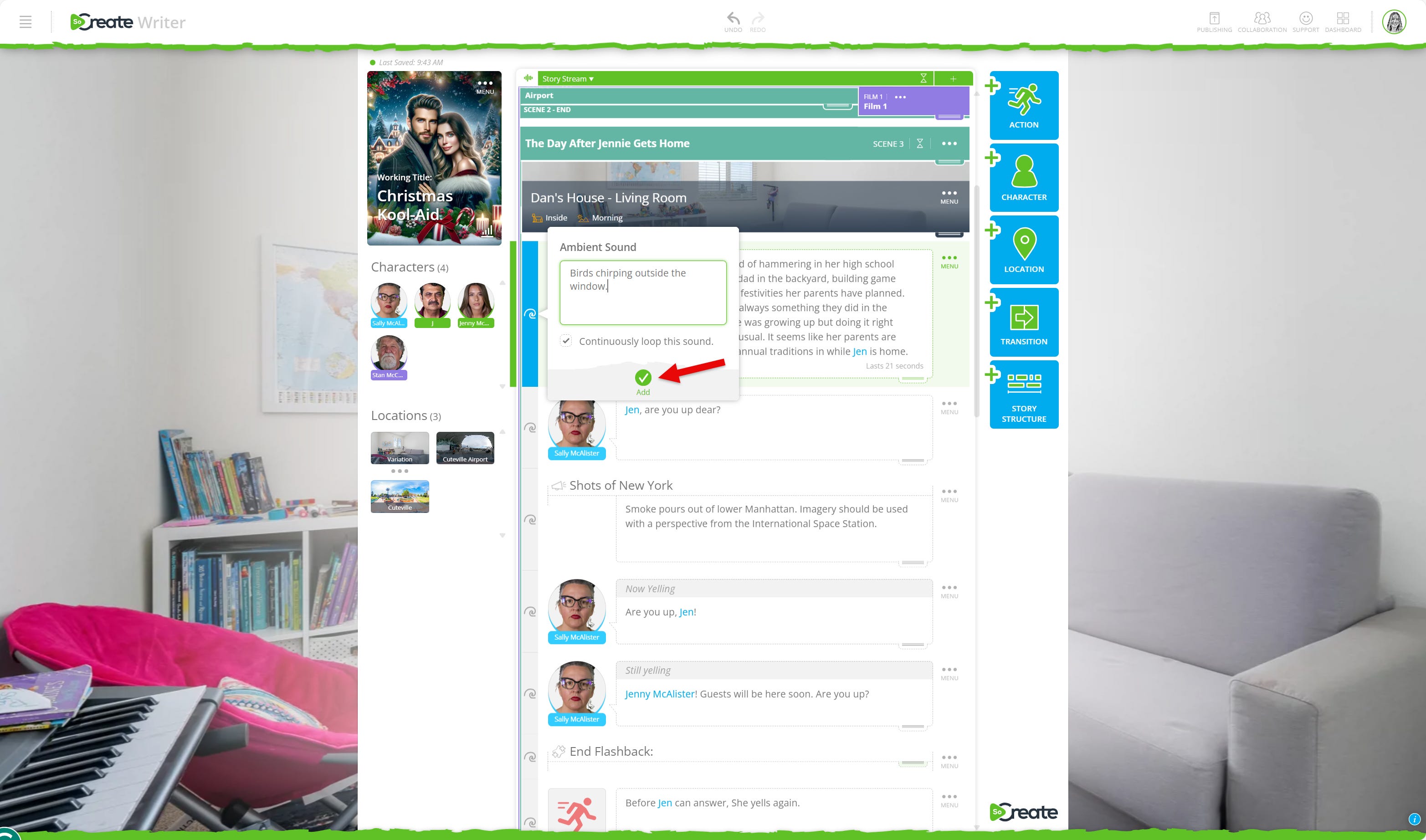
Now you can choose to just do the first story item you selected, or you may choose to apply your new ambient sound across multiple story items:
Use the plus sign on the left to select additional items.
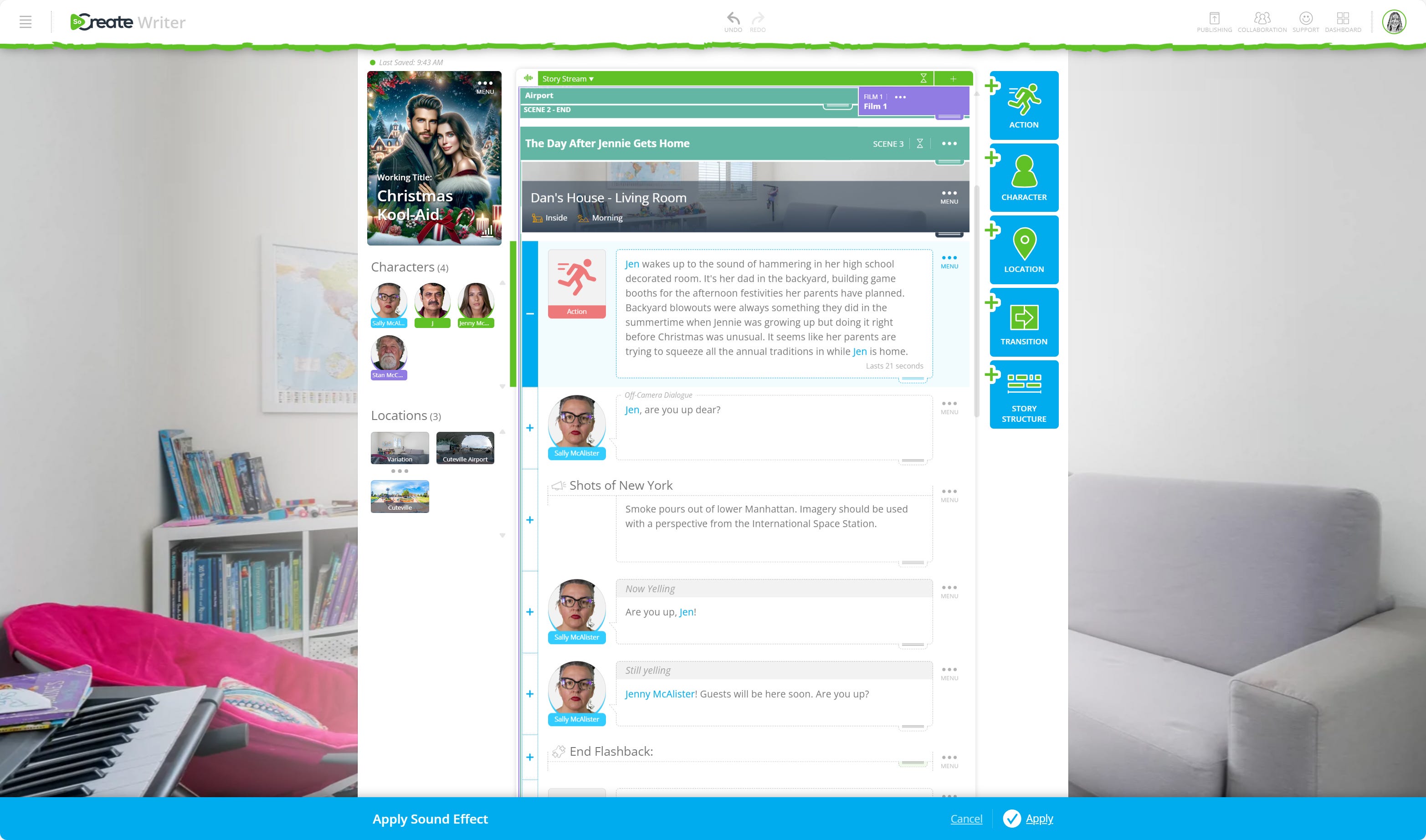
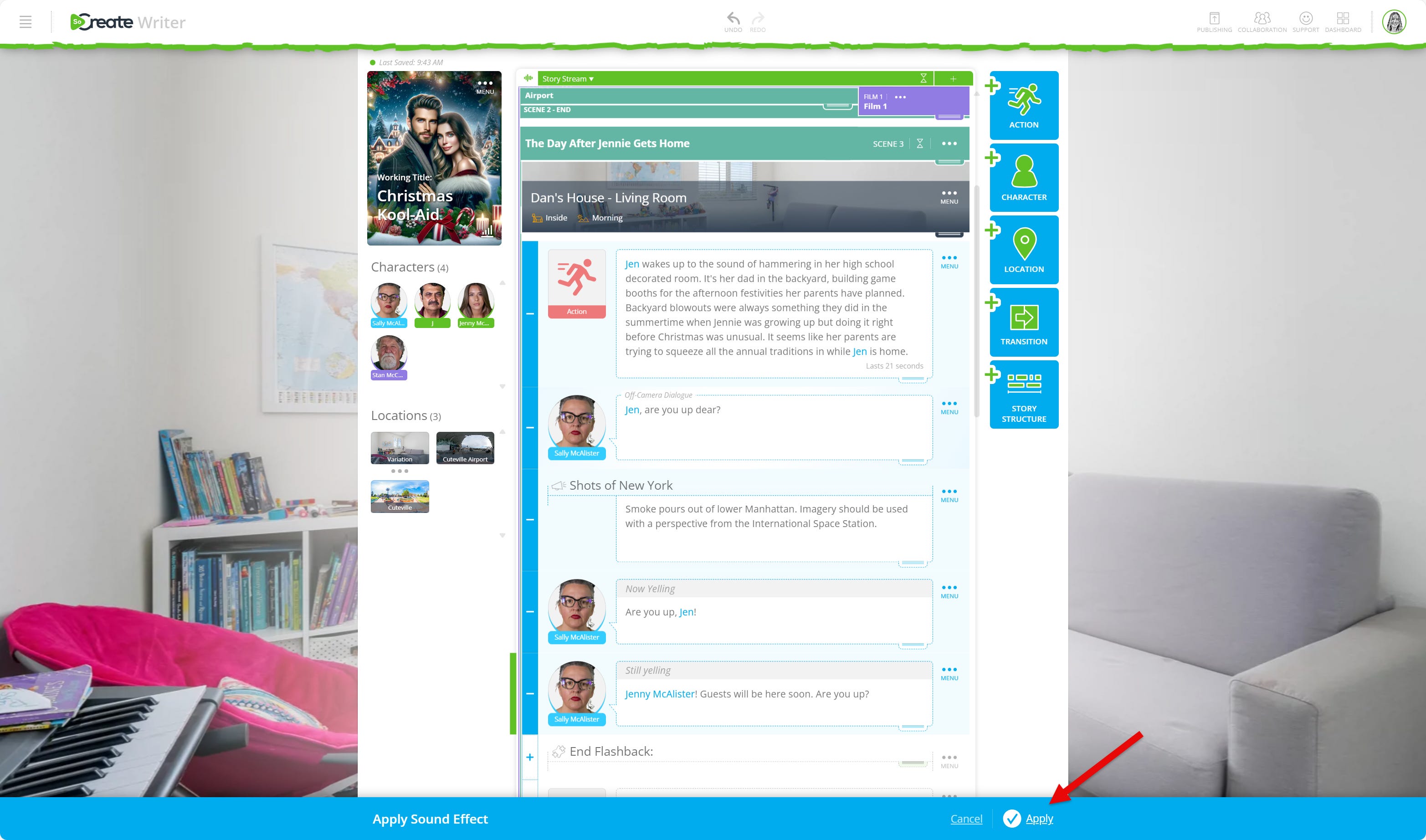
If you hold Shift and press the + sign, all items between your first and last selections will be included. Press the - sign to deselect items if needed.
When you are ready, click Apply at the bottom of the screen.
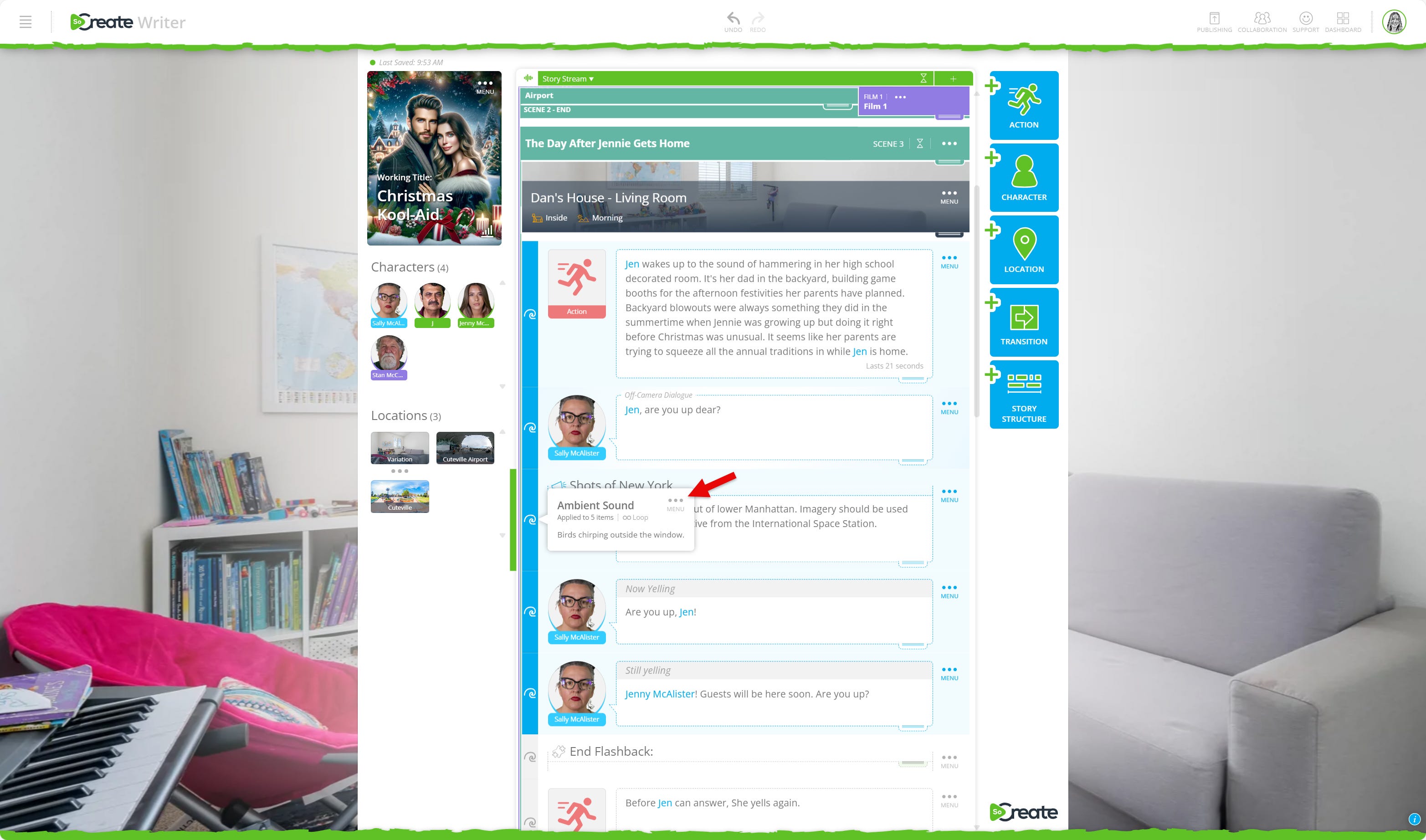
To make changes later:
Click the blue highlighted wave and open the three-dot menu to edit the description, adjust the length, or delete the sound.
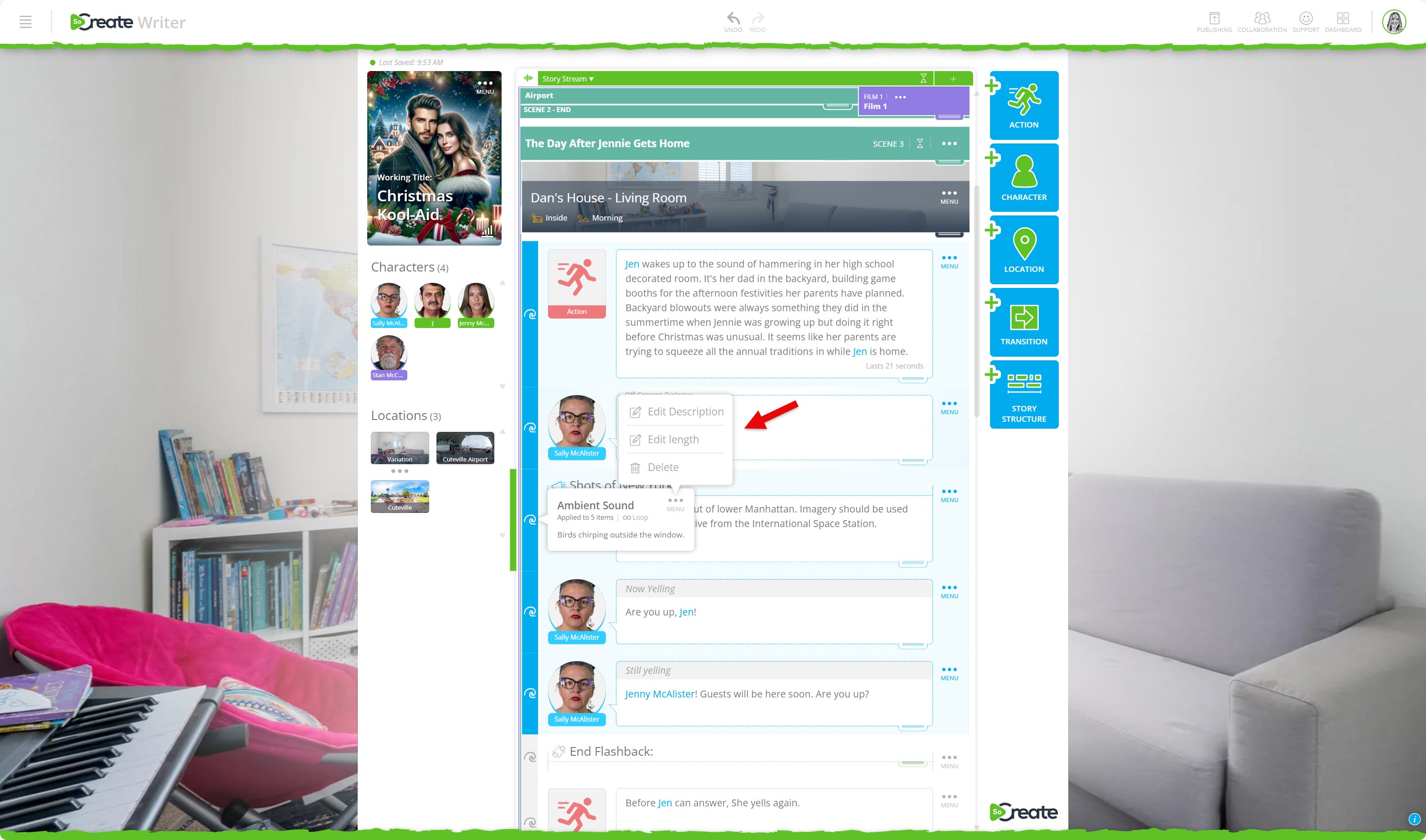
We look forward to seeing how you use this feature to take your storytelling to the next level!
Exploring This Week’s Featured Blogs

How to Practice Screenwriting
Sharpen your skills with practical, repeatable writing exercises that boost creativity, discipline, and storytelling confidence. Perfect for writers looking to build strong daily habits. Practice your screenwriting skills.

How to Sell a Screenplay to Netflix
Dreaming of seeing your story on the world’s biggest streamer? Learn what Netflix looks for, how its submission pipeline works, and what steps screenwriters can take to get noticed. Learn how to pitch to Netflix.

How to Choose a Film School (From a Screenwriter Who’s Done It)
Choosing the right film school can shape your creative career. Get firsthand insight from screenwriter Kaylord Hill, who’s been through the process, plus tips on evaluating programs, costs, and opportunities. Choose the right film school.
Stories are meant to be shared. Don’t let Hollywood stand in your way.
That's it for this week's Museletter! We hope it inspired you to write. Now more than ever, we hope you’ll switch gears from not just consuming content but creating it. Do something amazing with your time and your talent, use your imagination, and let SoCreate inspire you!
<3 Your friends at SoCreate
Adding ambient sound with AI is a realy clever feature for making stories more immersive. The step by step walkthrough makes it easy to understand how to layer in environmental sounds. Being able to loop sounds across multiple items or play them once gives good flexibilty. This kind of tool makes screenwriting more accessible for people who want to experiment with audivisual storytelling.