
Make Every Moment POP with Sound Effects
The SoCreate Weekly Museletter
Hey SoCreators,
In this week’s Museletter:
New feature this week: sound effects!
Recap of last week’s feature: ambient sounds
What makes a good story
Explore what’s new with SoCreate below!
Your Stories Next Layer is Here: Sound Effects!
Last week, we introduced ambient sounds, and this week, it’s sound effects. Bring your stories to life with sound effects. You can now add dynamic sounds to your SoCreate Storyteller stories to complement the already-immersive imagery and voice audio. With this new layer of sound, your stories will feel more immersive than ever!
Unlike last week’s feature of ambient sounds, which set the mood and atmosphere, sound effects let you highlight specific actions and moments, giving your story extra impact where it counts.
To use sound effects:
Open your story in SoCreate Writer.
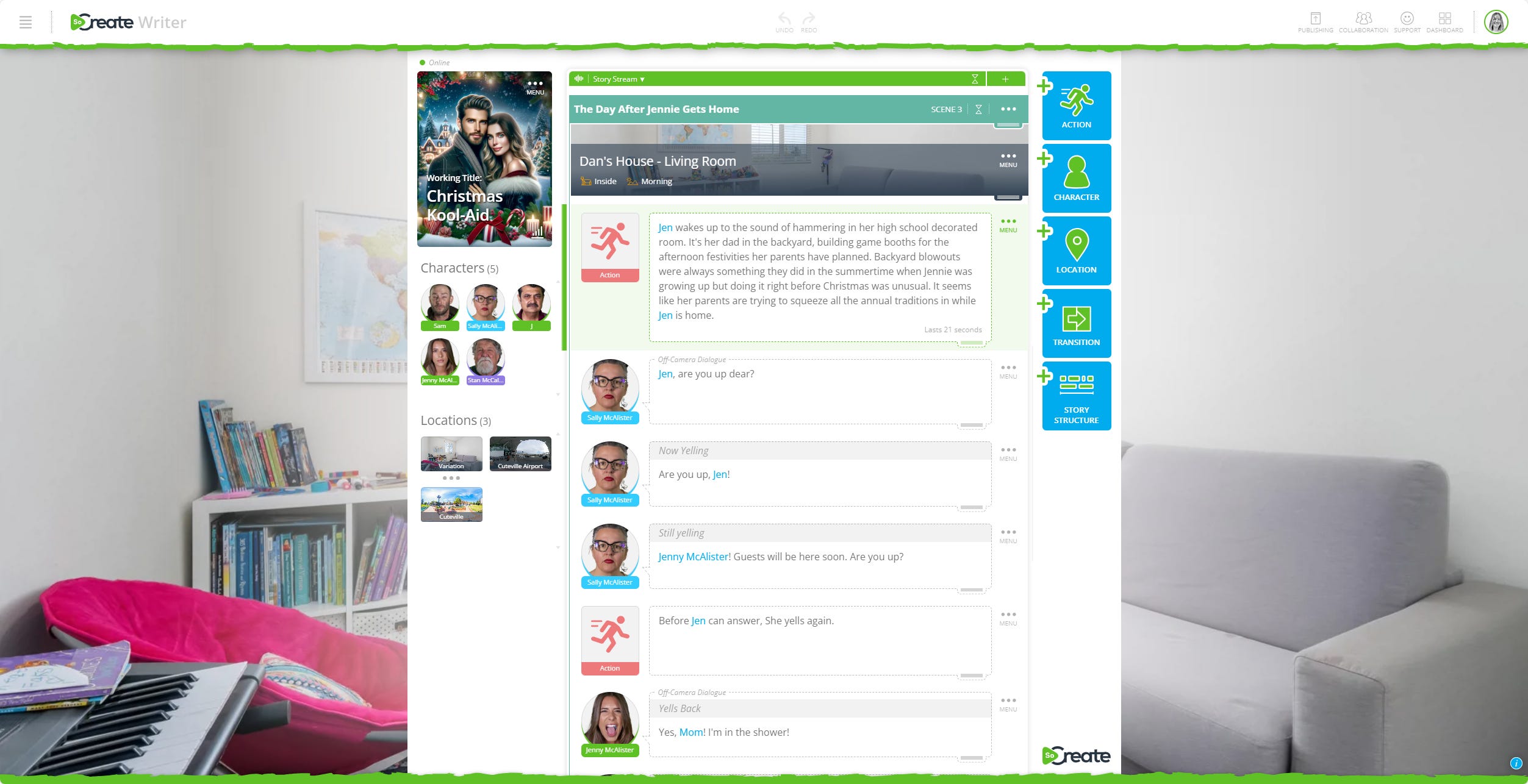
Click on the action or dialogue where you’d like to add a sound effect. When you export your story to SoCreate Storyteller, the sound effect will happen at the exact moment where you’ve inserted it in SoCreate Writer.
Place your cursor at the exact spot you want the sound to play.
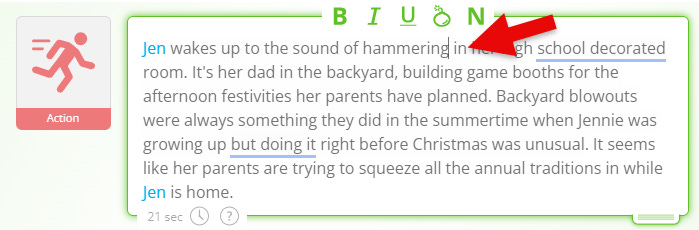
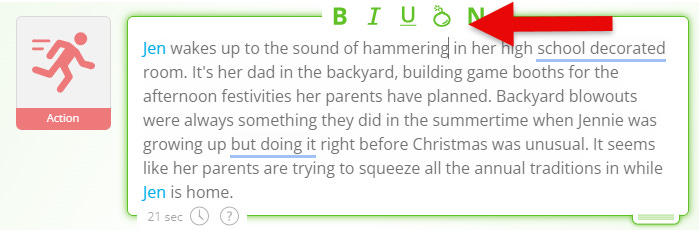
Click the ticking bomb icon, and a blue square will appear in your story stream.
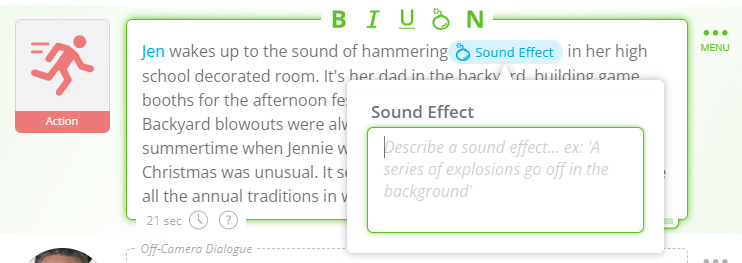
Type a description of the sound exactly as you’d like to hear it, for example, glass shattering or a car door slamming shut. Our AI will generate the sound effect from your description, so the more detail you include, the more accurate and immersive it will be.
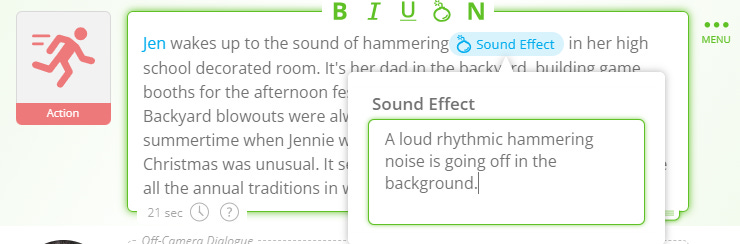
Sound effects will make your story more immersive, giving your audience an even richer experience. We can’t wait to hear your stories come to life.
ICYMI: How to Add Ambient Sounds!
To make Storyteller even more immersive, you can now add Ambient Sound! In addition to using our AI to generate imagery and voiceover, add ambient sound description to add another rich layer of storytelling to your audio-visual output.
Ambient sounds, such as birds chirping, cars passing by, or wind moving through the trees, make your audience feel like they're in your story's world. In Storyteller, adding this new layer of sound requires just a few words of description.
Here is how it works:
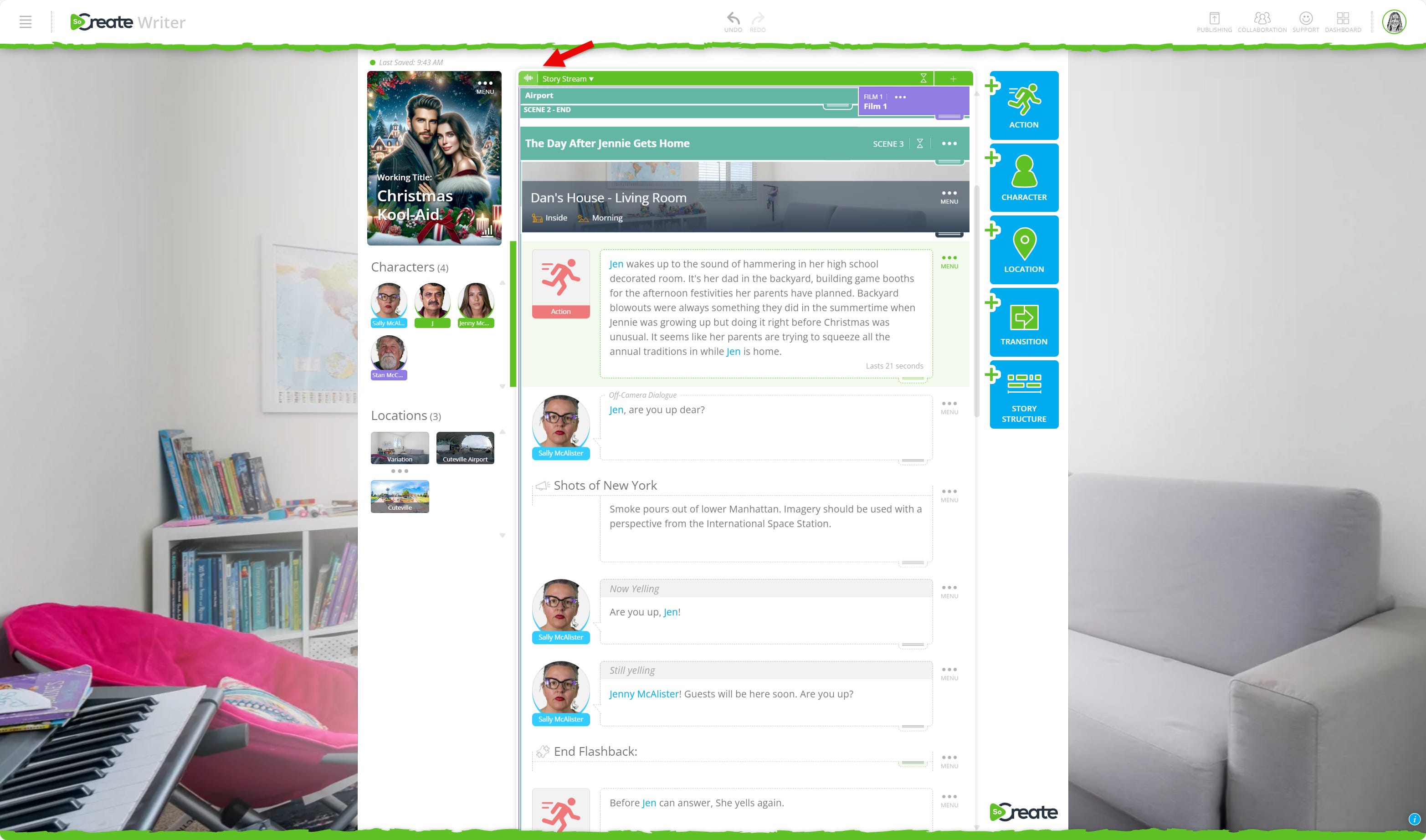
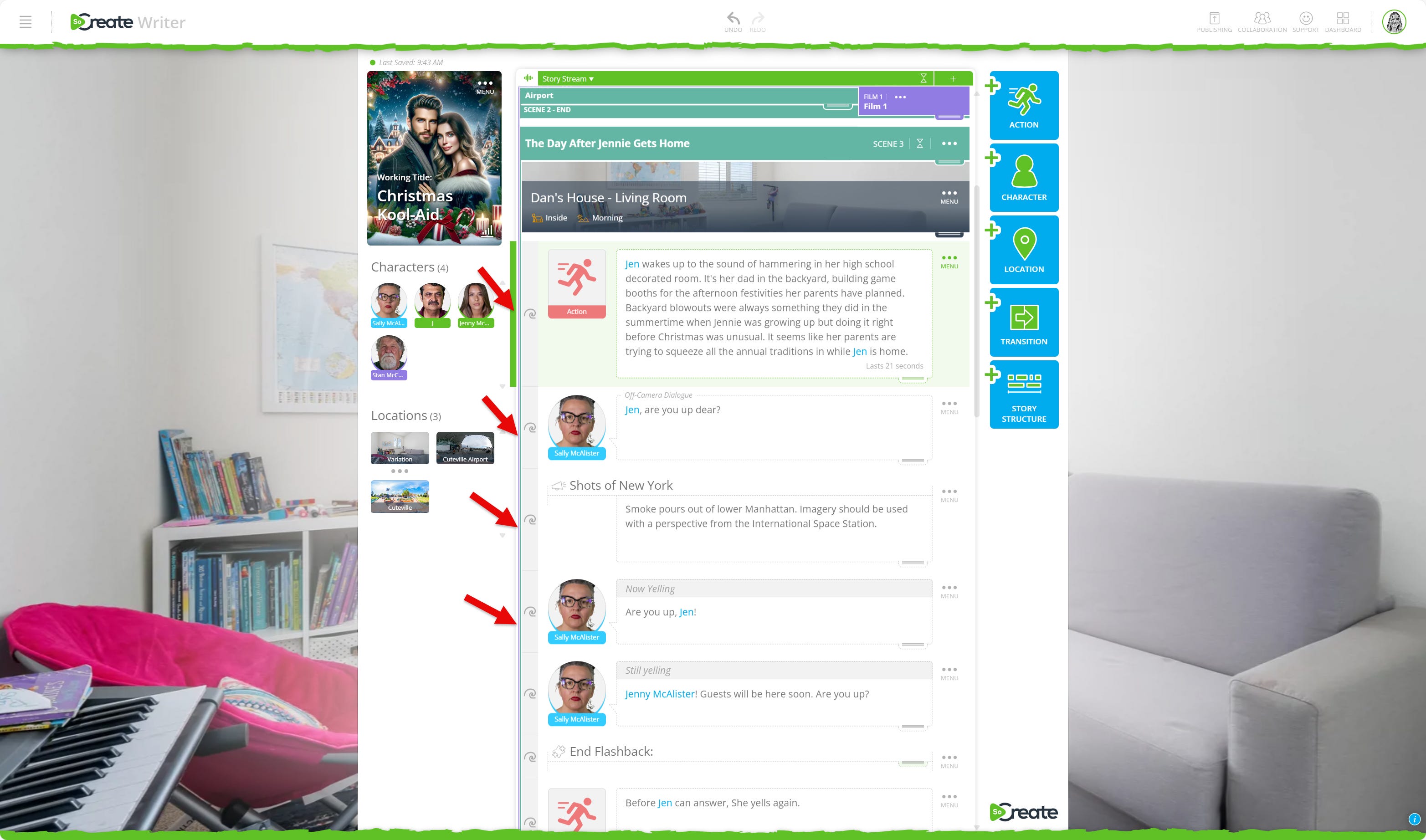
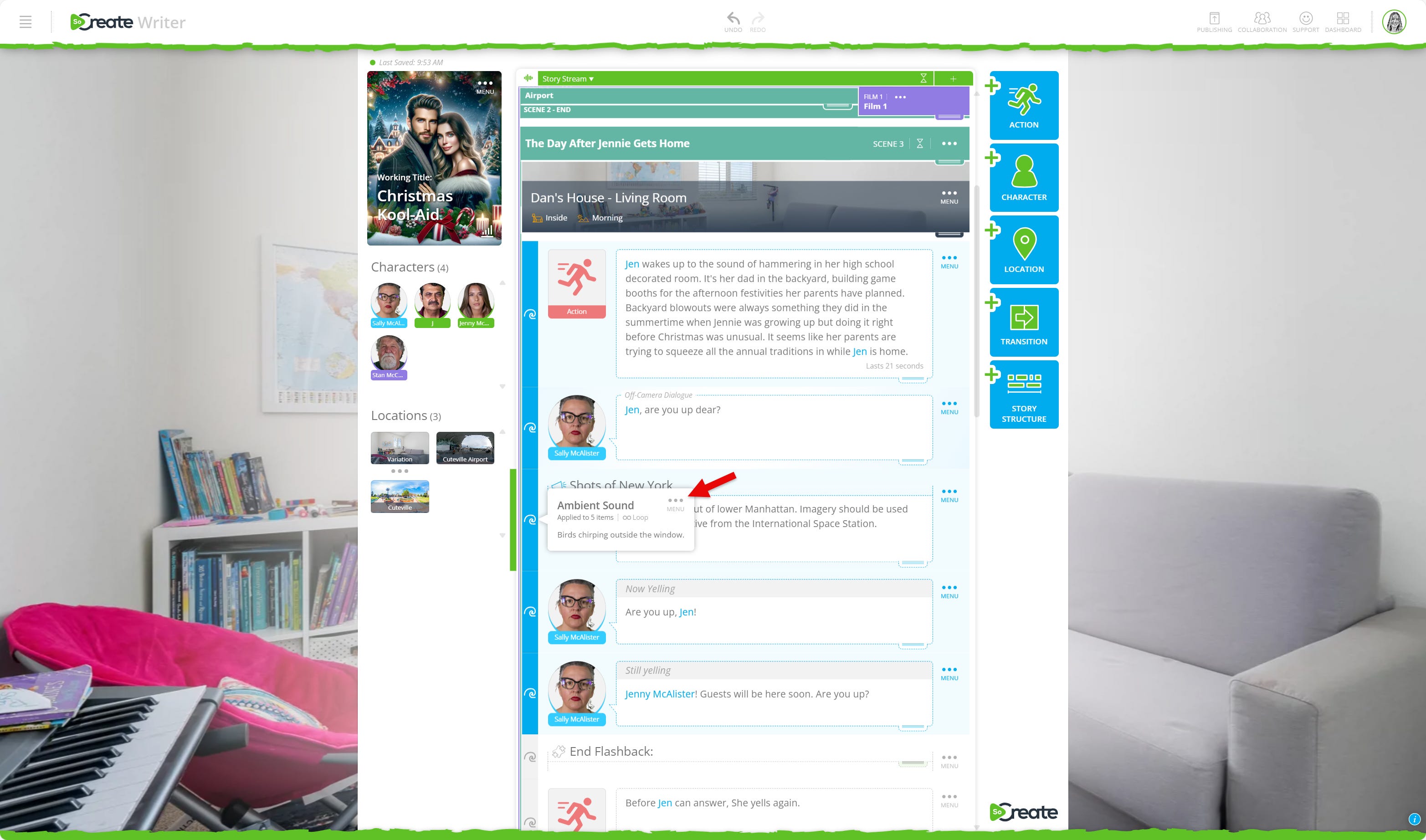
Click the sound button, and a wave icon will appear on each story item.
Select the wave icon to add your ambient sound description.
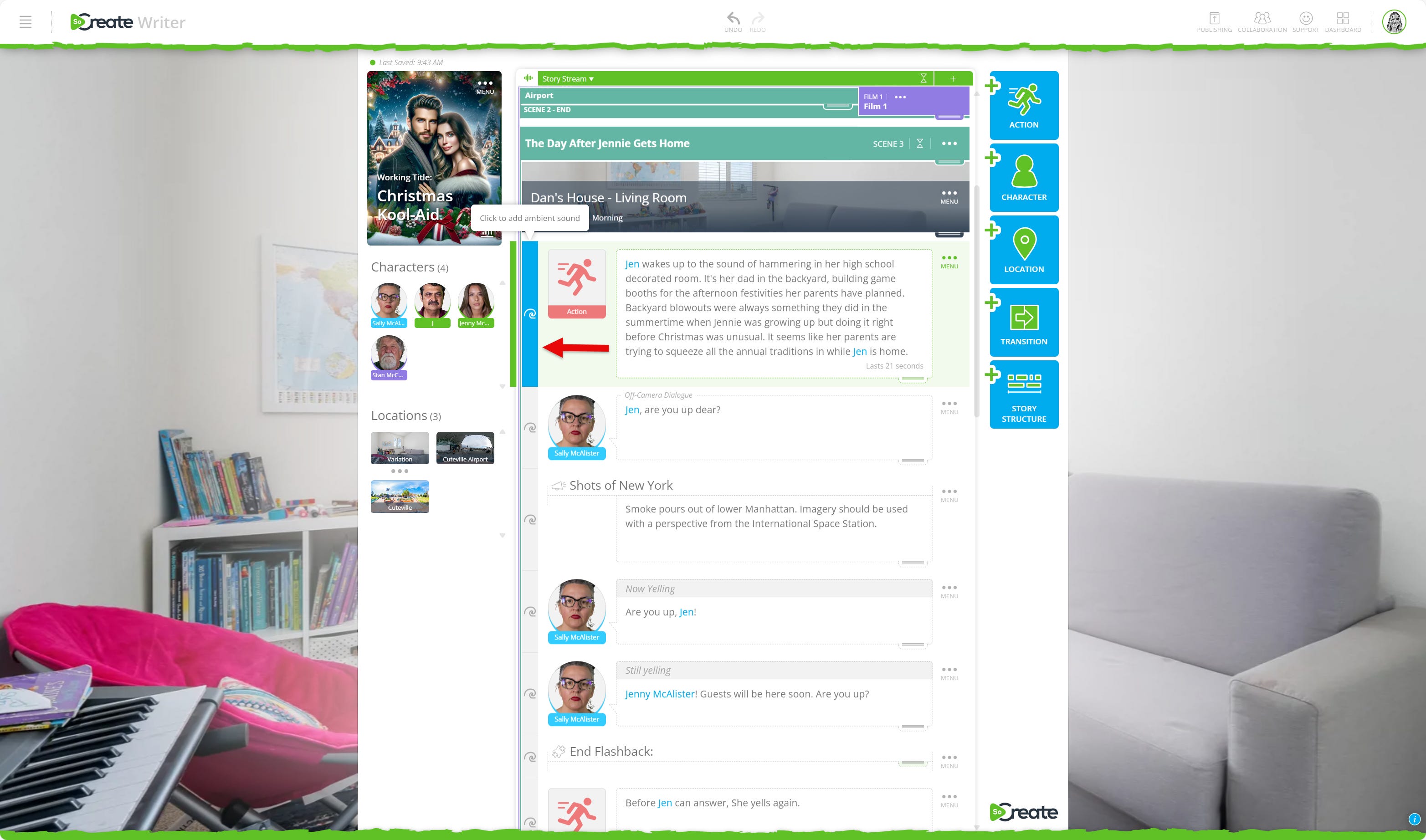
Choose whether the sound loops continuously or plays just once by checking or unchecking the box.
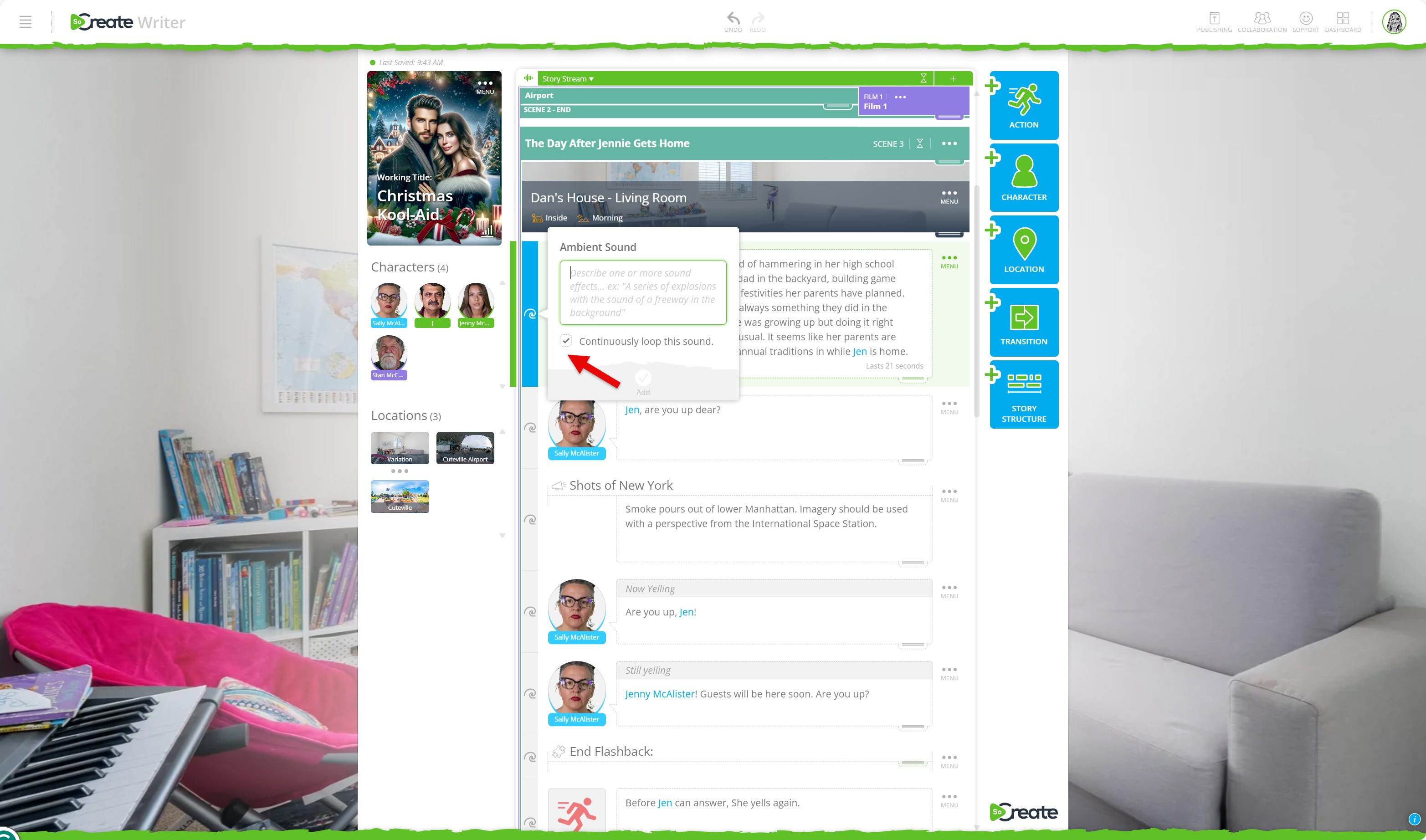
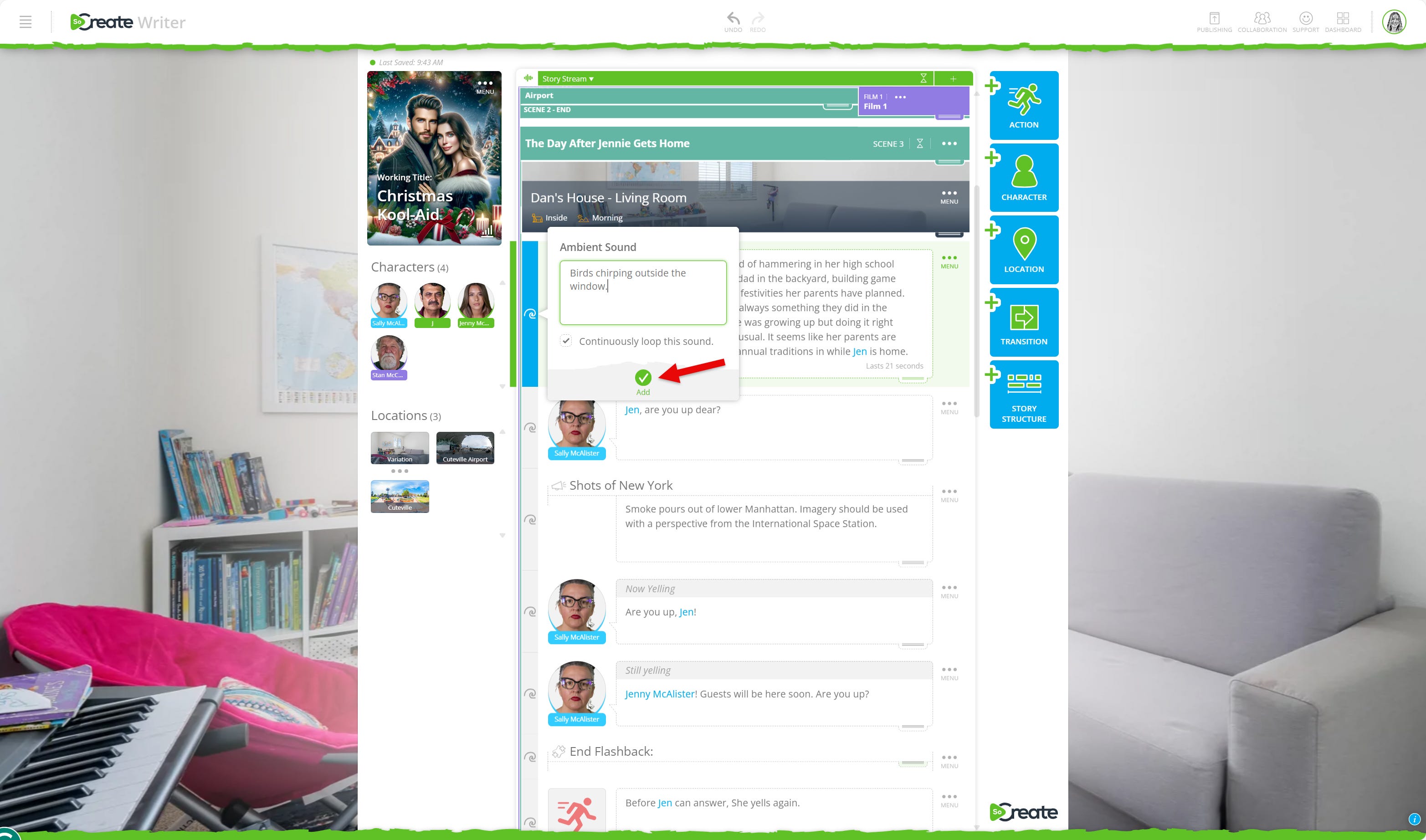
Press Add to confirm.
You can also apply sounds across multiple story items:
Use the plus sign on the left to select additional items.
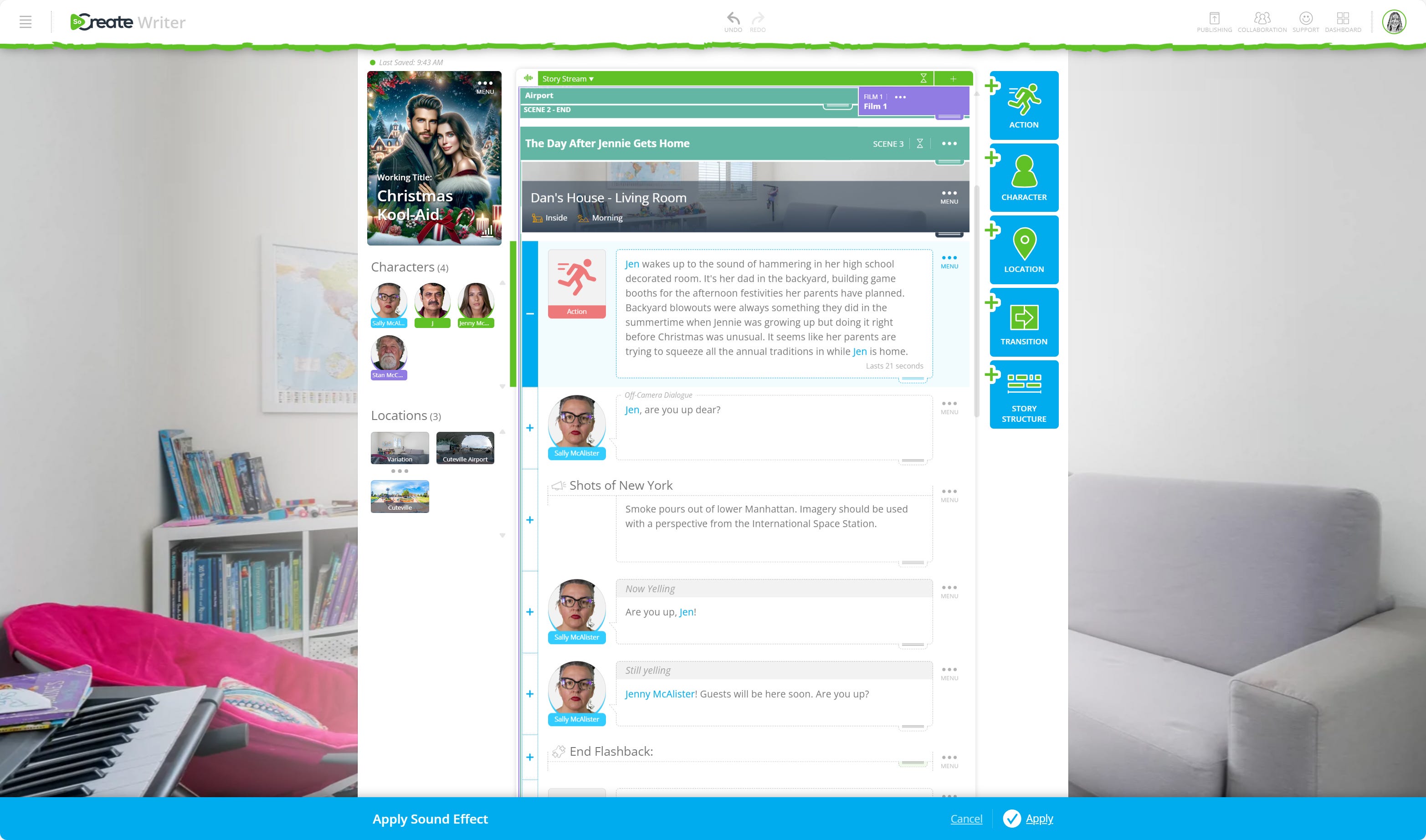
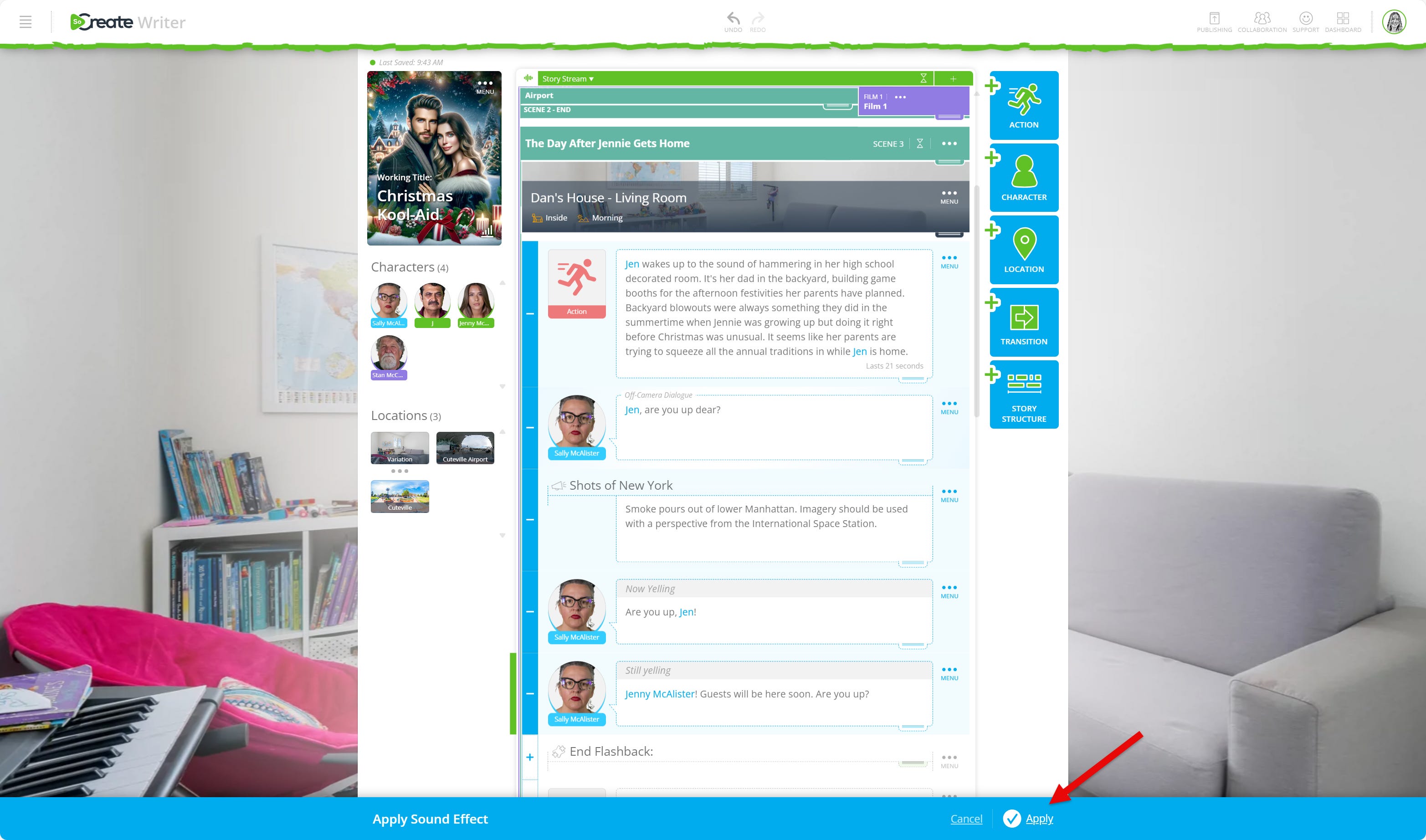
All items between your first and last selection will be included. Press the minus sign to deselect if needed.
When you are ready, click Apply at the bottom of the screen.
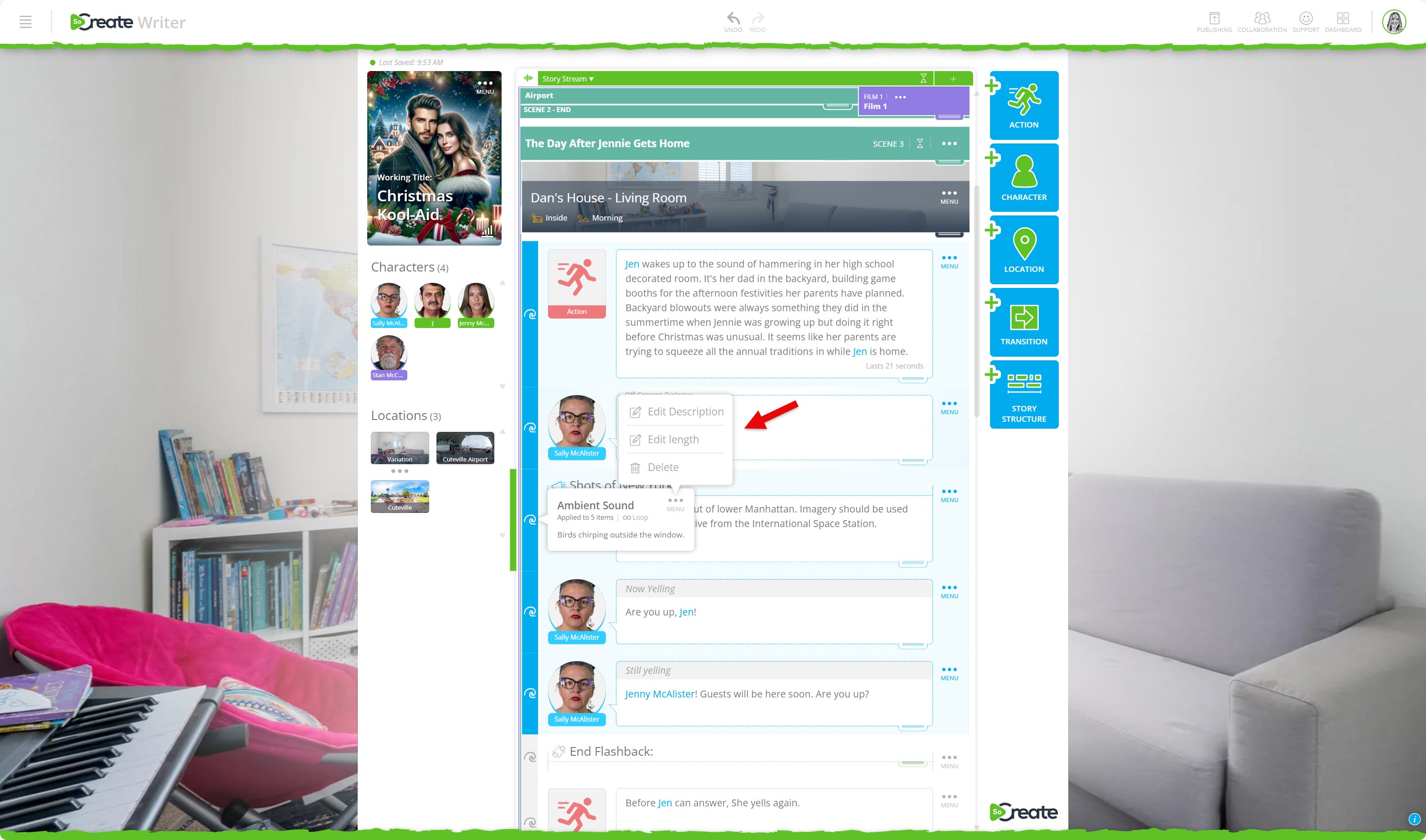
To make changes later:
Click the blue highlighted wave and open the three-dot menu to edit the description, adjust the length, or delete the sound.
We look forward to seeing how you use this feature to take your storytelling to the next level.
Exploring This Week’s Featured Blogs

Don’t Ask This One Question When Networking as a Screenwriter
Networking is essential, but asking the wrong thing can shut doors instead of opening them. Learn from Ricky Roxburgh, an Emmy-winning writer, the one question to avoid and what to say instead. Master the art of networking.

What Makes a Good Story?
At the heart of every great screenplay is a strong story. Explore the key elements that make stories resonate and keep audiences hooked from beginning to end. Uncover the secrets of good storytelling.

Don’t Let Desperation Kill Your Chances of Screenwriting Success
Eager to break in but feeling desperate? Learn from Ricky Roxburgh, an Emmy-winning writer, how to keep your cool, stay professional, and avoid the common pitfalls that can hurt your career before it even starts. Protect your screenwriting journey.
Stories are meant to be shared. Don’t let Hollywood stand in your way.
That's it for this week's Museletter! We hope it inspired you to write. Now more than ever, we hope you’ll switch gears from not just consuming content but creating it. Do something amazing with your time and your talent, use your imagination, and let SoCreate inspire you!
<3 Your friends at SoCreate