
NEW: Stream-Item Level Appearance & Wardrobe Control!
The SoCreate Weekly Museletter
Hey SoCreators,
In this week’s Museletter:
Introducing stream-item level appearance & wardrobe changes
How to get discovered as a screenwriter
Culture & character: Western vs. Eastern storytelling
Explore what’s new with SoCreate below!
Introducing Stream-Item Level Appearance & Wardrobe Changes
We’ve made a major upgrade to how characters evolve on screen! You can now change appearance and wardrobe at the stream-item level, giving you precise, moment-by-moment control over your characters.
Stream-Item Level Appearance Changes
Characters can now visually evolve exactly when it happens in the story. If a character gets a haircut, a black eye, or a new tattoo, you can add that change to the exact stream-item where it occurs, and that appearance will persist until you change it again.
How to add a character’s base appearance:
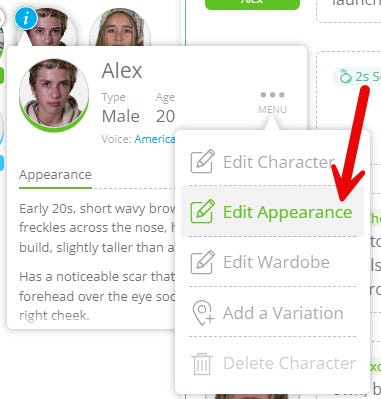
Head to your Story Toolbar and hover over the character you’d like to edit
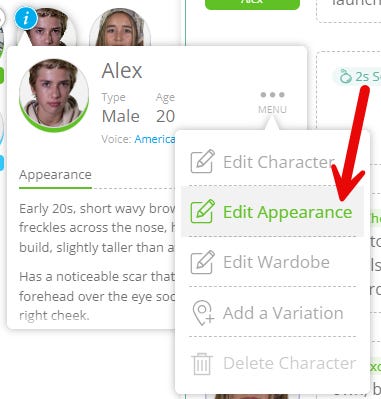
Click the blue “i” icon, then select Menu, then Edit Appearance
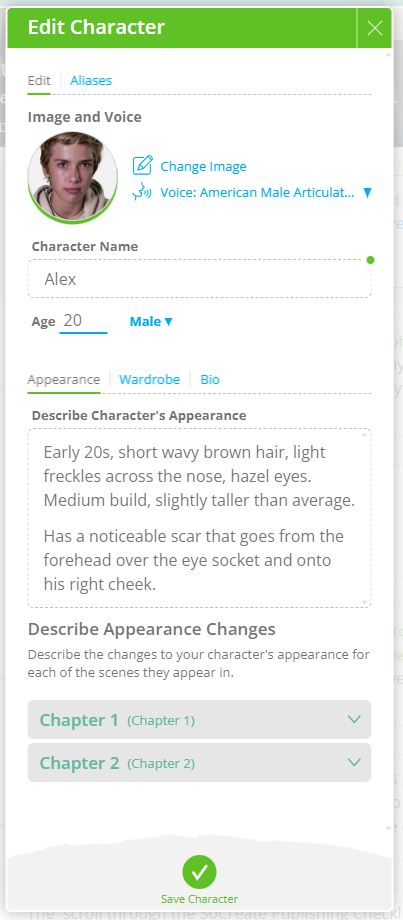
A pop-up will appear where you can describe the character’s appearance
In the main description box, define how the character should appear on screen, hair color and cut, height, build, facial features, scars, or any unique traits. Any details you leave out will be filled in by our AI Production Studio, but the more specific you are, the closer the visuals will match your vision.
How to add an appearance change to a stream-item:
Click the arrow on the chapter or scene where the change occurs
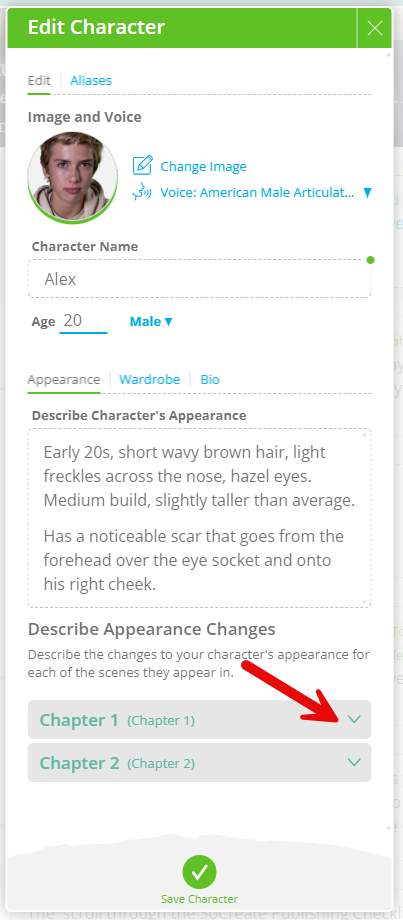
Select Add Appearance Change
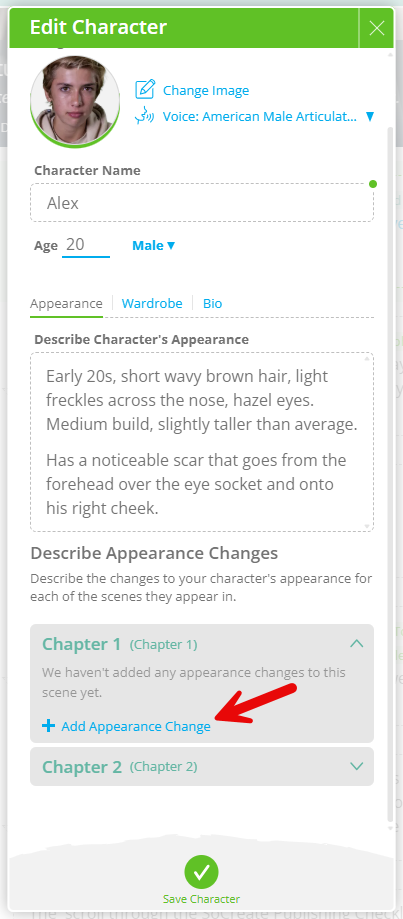
Choose the exact stream-item where the change happens
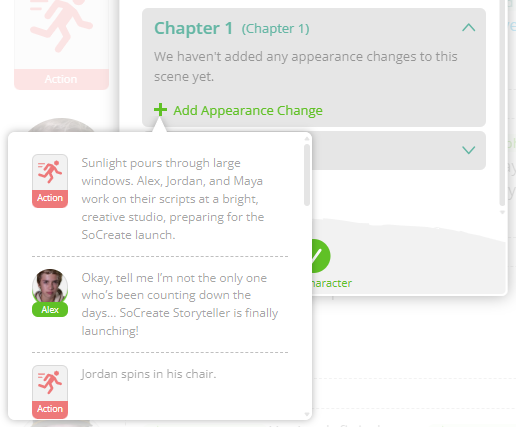
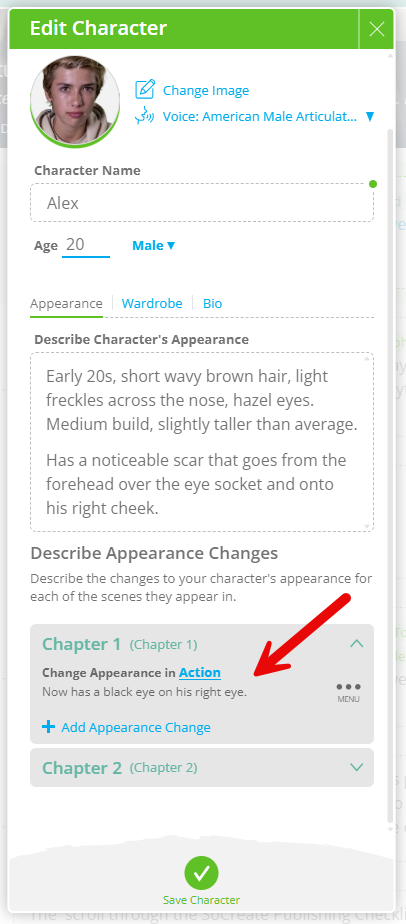
You can now include multiple appearance changes throughout your story. Keep in mind: the last appearance change you describe remains active until you add a new one later in the story.
Stream-Item Level Wardrobe Changes
Your characters’ wardrobe can now evolve naturally, exactly when it happens. If your character’s outfit changes mid-scene or mid-chapter, no problem. Simply describe each wardrobe change at the stream-item where it happens.
For wardrobe, think like a costume designer. The last wardrobe you describe will carry forward through all subsequent scenes or chapters until you introduce another change.
When describing a wardrobe, be as detailed as possible:
Start with the era or overall style
Describe the top (sleeve length, color, texture, fit)
Detail the bottoms (length, cut, color, material)
Include shoes, jewelry, and accessories
Every detail matters, whether a shirt is tucked in, a jacket is unbuttoned, or hair is pulled into a bun. The more descriptive you are, the more accurate and polished the final on-screen result will be.
How to add wardrobe details:
Go to the Story Toolbar and hover over the character
Click the blue “i” icon, then select Menu
Choose the option to describe the character’s wardrobe
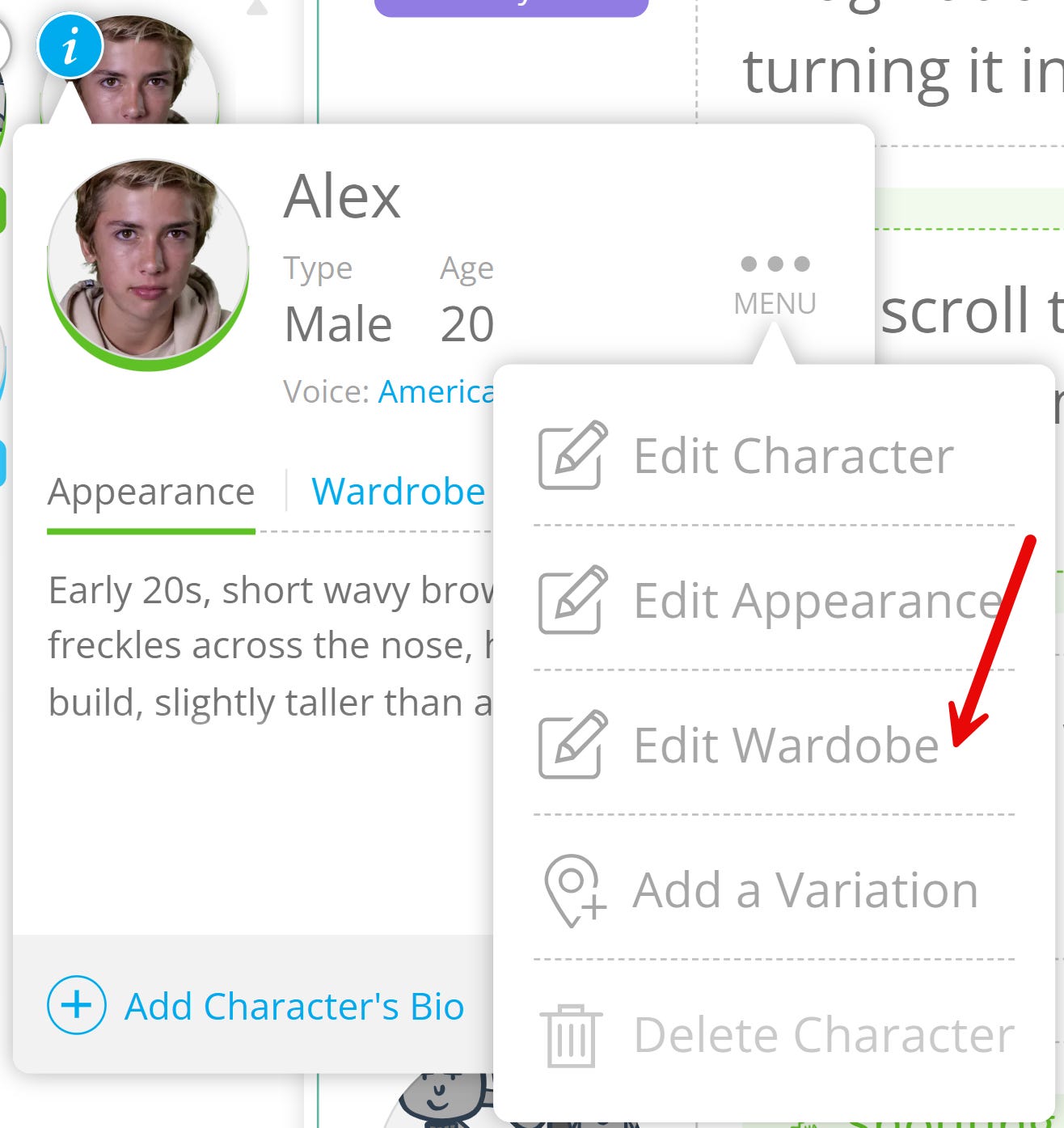
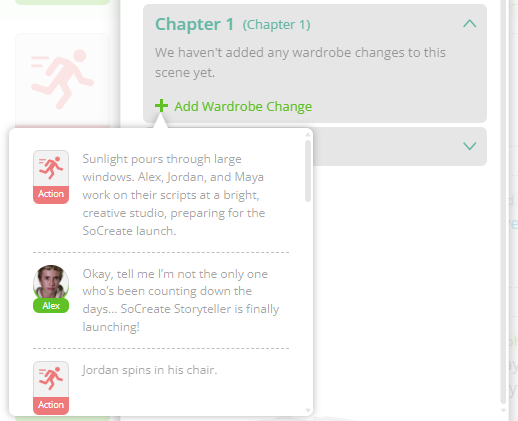
To add a wardrobe change to a stream-item:
Click the arrow on the chapter or scene where the change occurs
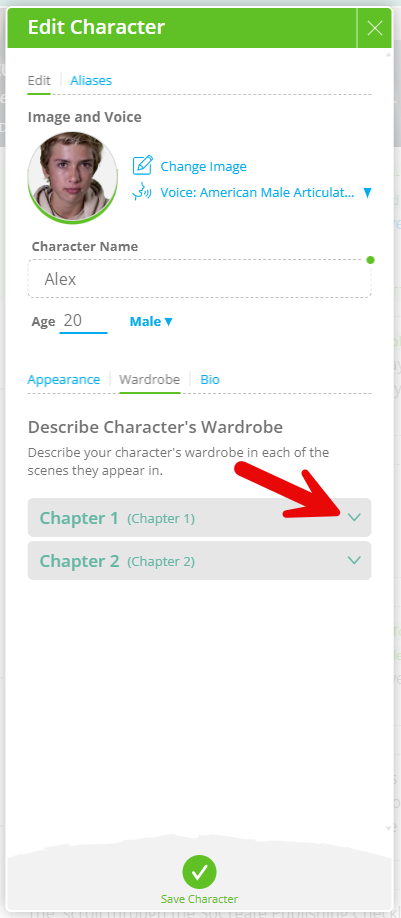
Select Add Wardrobe Change
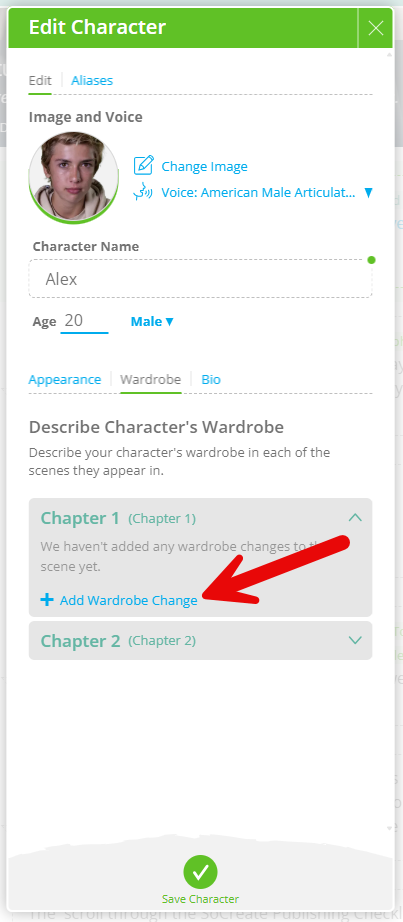
Choose the stream-item where the wardrobe changes
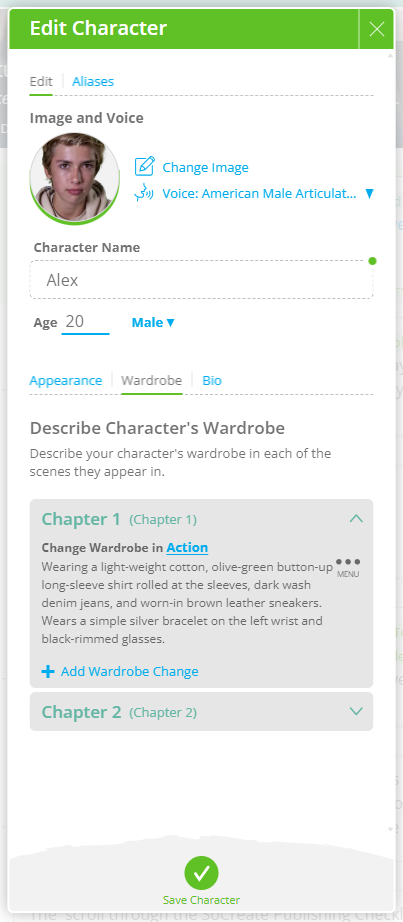
You can now add multiple wardrobe changes across your story, with full continuity control. Your character will stay in their last described outfit until you change it again.
With stream-item level appearance and wardrobe changes, your characters can transform exactly when and how you want, keeping every detail consistent and your story looking exactly as you imagined!
Exploring This Week’s Featured Blogs

How to Get Discovered as a Screenwriter
Breaking in takes more than talent. Learn how to get your work noticed, build industry visibility, and create opportunities that move your screenwriting career forward. Learn how to get discovered as a screenwriter.

Culture and Character: Western vs. Eastern Storytelling
Storytelling traditions shape how characters and themes are portrayed. Explore the key differences between Western and Eastern storytelling and how culture influences narrative structure and character development. Explore Western vs. Eastern storytelling.

How to Write a Holiday Movie
Holiday films require heart, structure, and timeless appeal. Learn how to craft festive stories, memorable characters, and emotional beats that resonate year after year. Learn how to write a holiday movie.
Stories are meant to be shared. Don’t let Hollywood stand in your way.
That's it for this week's Museletter! We hope it inspired you to write. Now more than ever, we hope you’ll switch gears from not just consuming content but creating it. Do something amazing with your time and your talent, use your imagination, and let SoCreate inspire you!
<3 Your friends at SoCreate