
Professional Revision Tracking Is Here!
The SoCreate Weekly Museletter
Hey SoCreators,
In this week’s Museletter:
New feature: script revising & proper credit formatting
ICYMI: Search is here: find anything in seconds
How to write a screenplay opening hook
Explore what’s new with SoCreate below!
New Feature: Script Revising & Proper Credit Formatting
We’ve introduced a new revising feature designed to support professional collaboration and ensure proper credit attribution within your screenplay!
Here’s how it works:
Open your story in SoCreate Writer
Go to your Title Card
Click the three dots above the menu
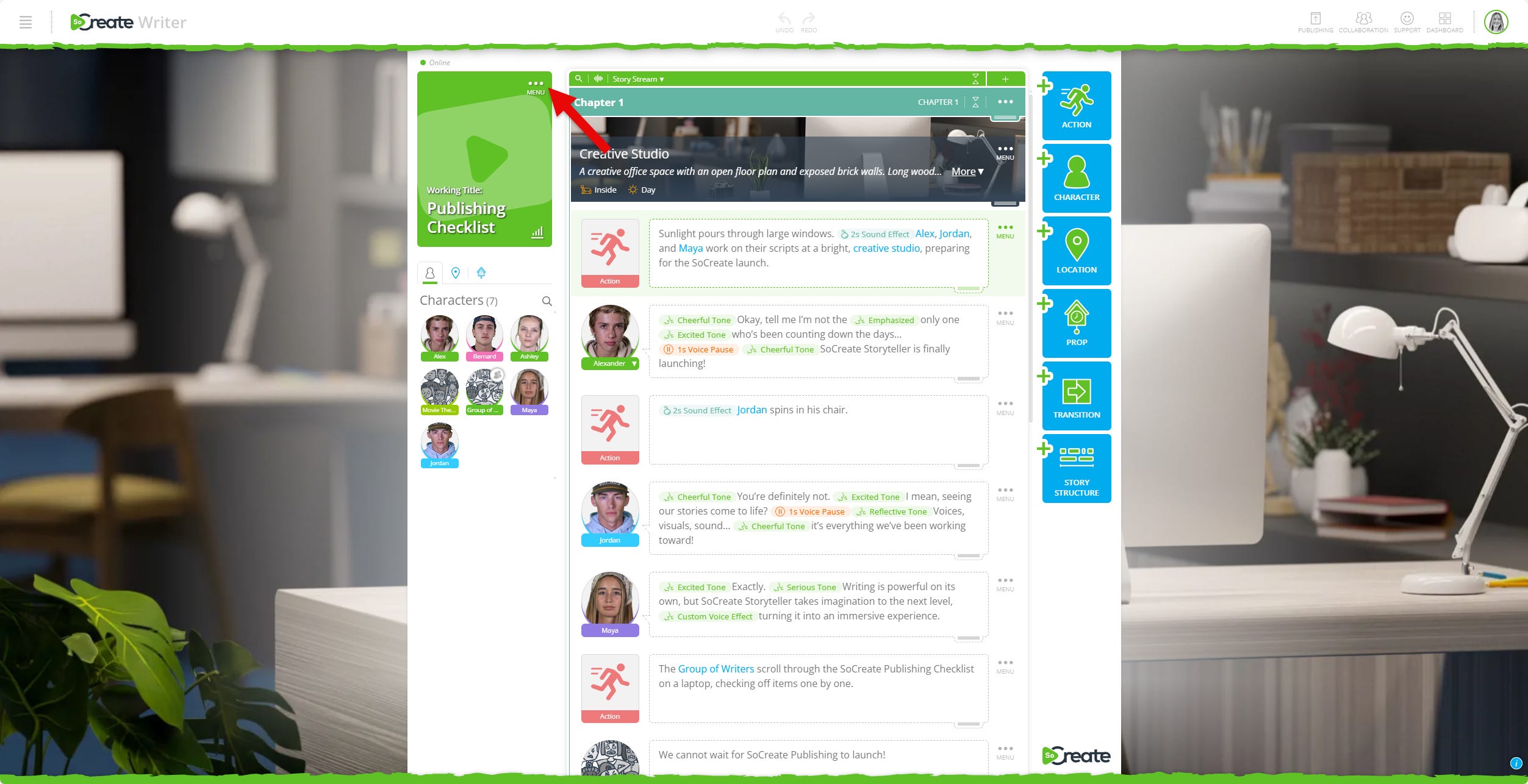
Select Edit Story Settings
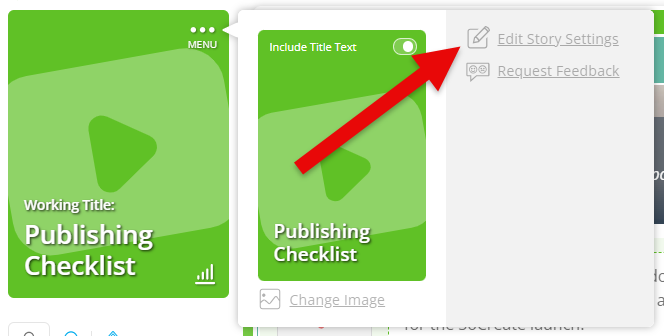
Scroll down to Copyright Information
Click Revising
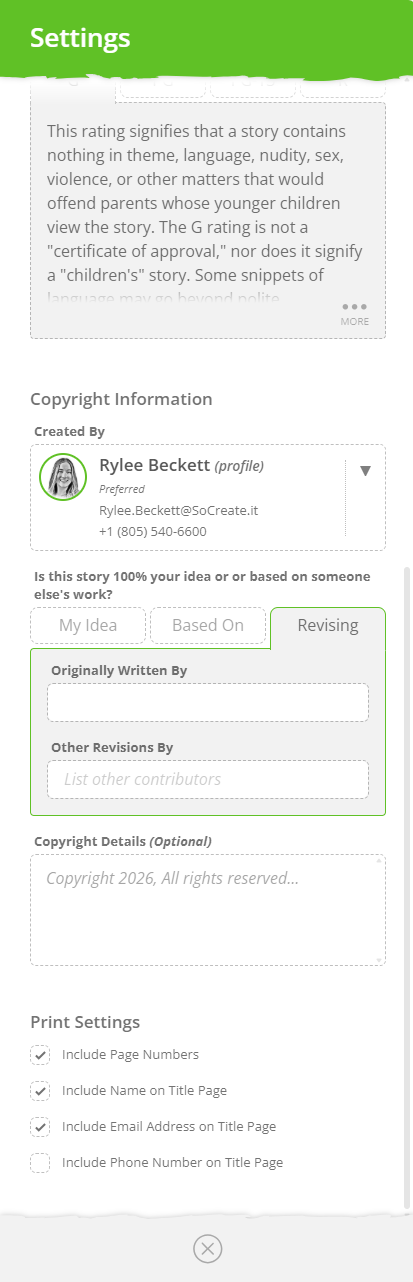
From there, you can add:
The original writer
Writers contributing to the revision
Any additional revision credits or copyright details
This ensures accurate attribution and provides clarity when multiple writers contribute to a project.
When exporting or printing your screenplay, revision credits are formatted in accordance with WGA standards, so your script maintains industry-ready presentation for submission, development, or production. We look forward to seeing how this feature supports your next revision!
ICYMI: Search Is Here: Find Anything in Seconds
You asked for it, and we’re excited to deliver! Our brand-new search feature is officially live, making it easier than ever to find exactly what you need in your stories.
Now, you can search your entire project for any word or phrase. To make it even better, collapse your scenes using the collapse all scenes feature in the top green bar, and then search for what you are trying to find. When your scenes are collapsed, and you search for something, SoCreate will automatically expand only the scenes that contain your search term.
To get started, simply press CTRL+F or click the magnifying glass icon at the top of your stream.
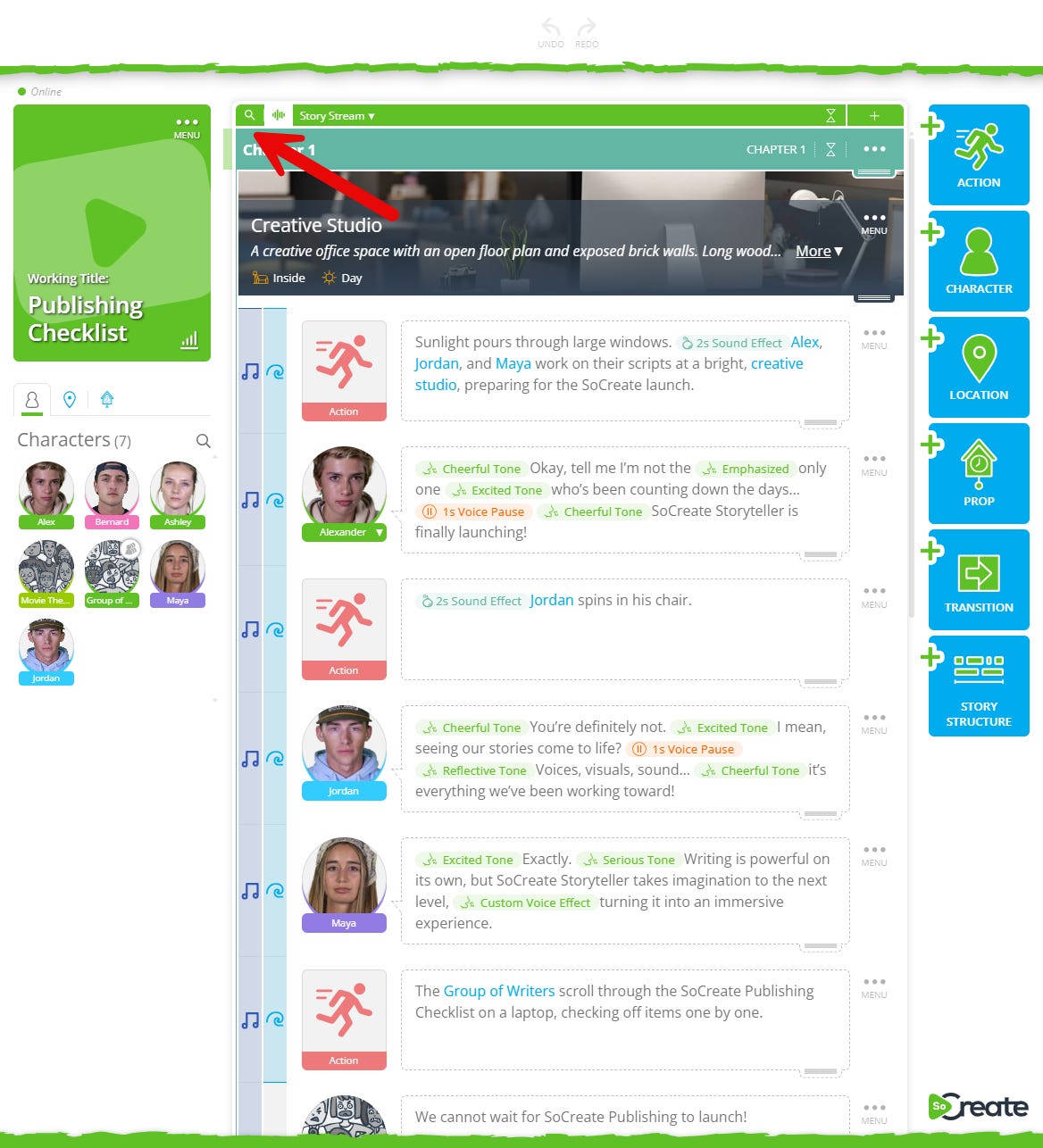
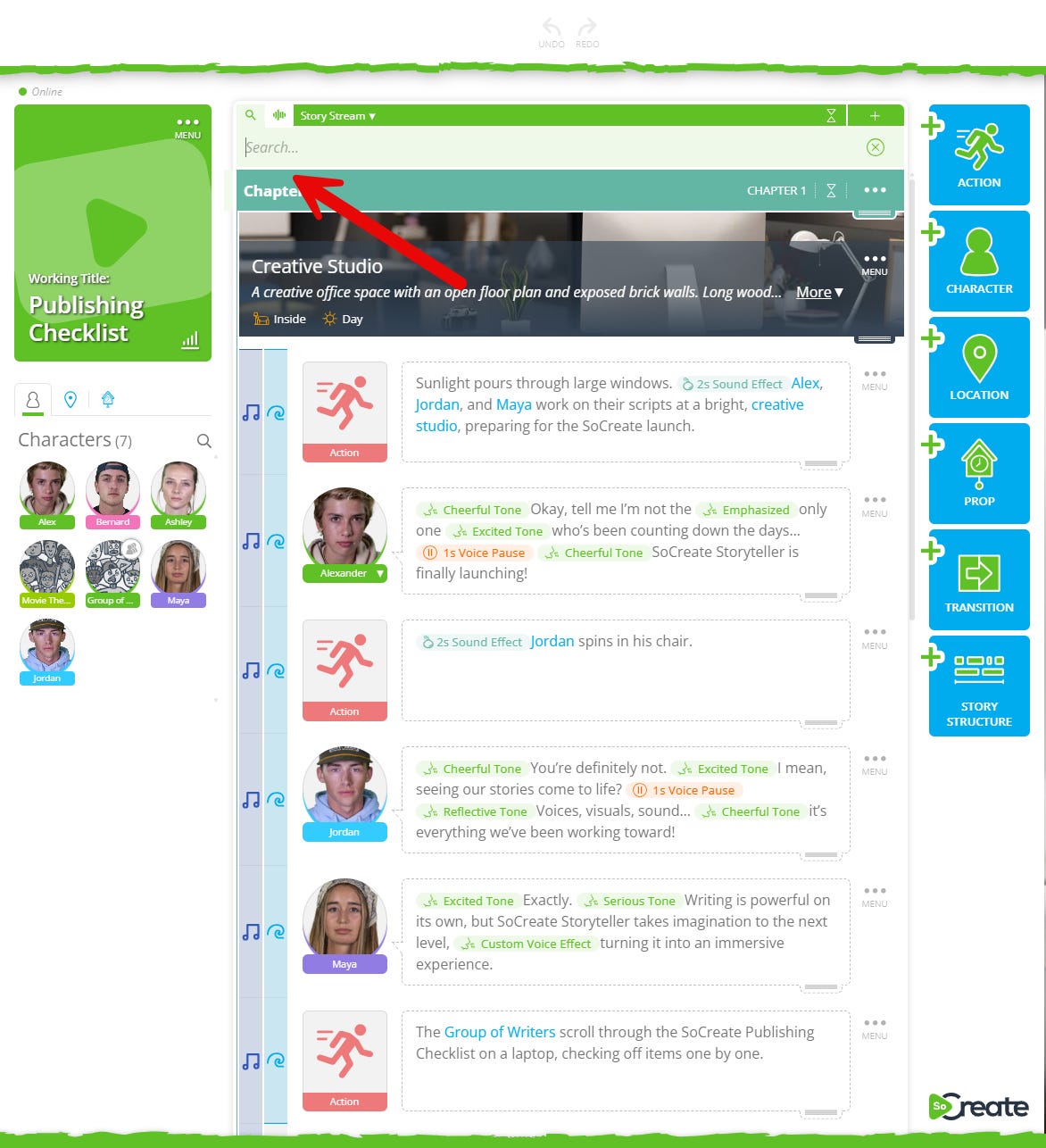
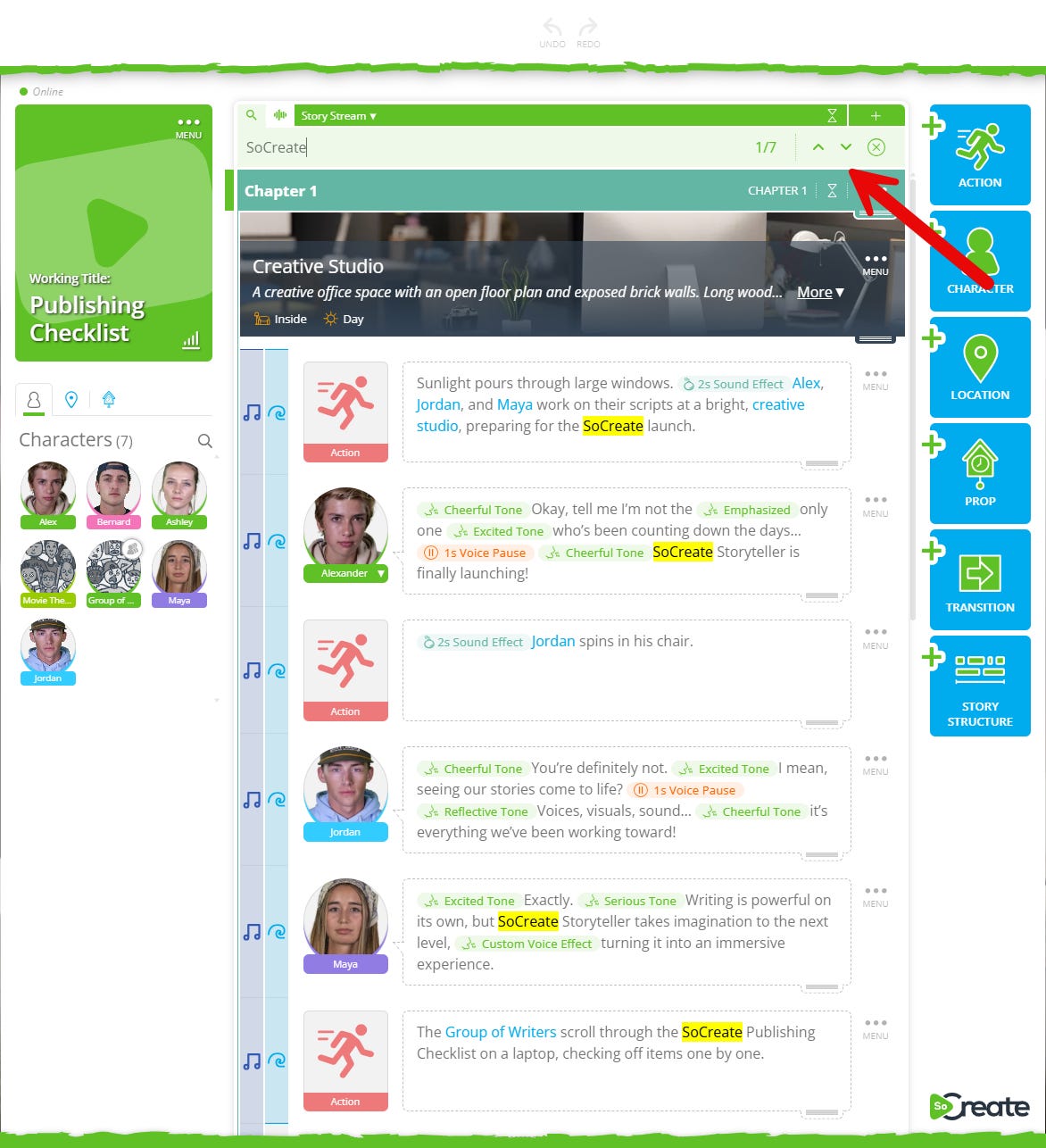
From there, type what you’re looking for, and press Enter to jump between results or use the arrow buttons in the search box to move up and down your story.
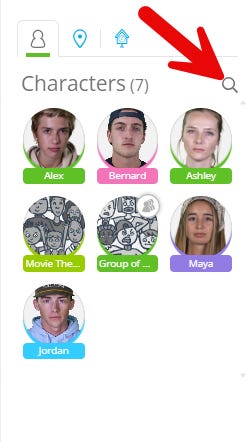
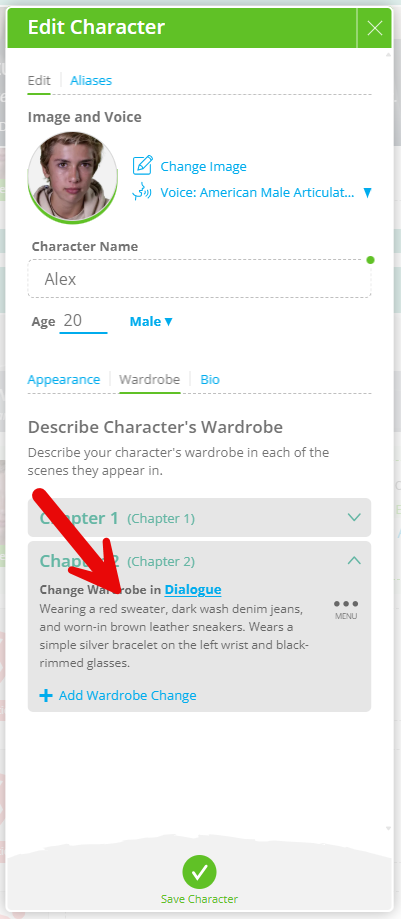
We’ve also upgraded asset search! Instead of only scanning asset names, SoCreate now searches deep into each asset’s content. For example, if a character mentions a prop in their wardrobe description and you can’t remember who wore it, just search for that prop in the character panel. We’ll instantly show you which character is connected to it.

With powerful story search and smarter asset discovery, finding anything in your project is now effortless! We’re excited to see how this new tool supports your storytelling.
Exploring This Week’s Featured Blogs

How to Write a Screenplay Opening Hook
First impressions matter. Learn how to craft a compelling opening hook that grabs attention, sets the tone, and pulls readers into your story from page one. Learn how to write a screenplay opening hook.

The 7 Deadly Dialogue Sins (With Examples)
Weak dialogue can undermine even the strongest story. Discover the most common dialogue mistakes, see real examples, and learn how to make your conversations sharper and more authentic. Learn the 7 deadly dialogue sins.

How to Write a Business Plan for Your Film
A strong business plan can turn your film from idea to reality. Learn what to include, how to structure it, and how to present your project to investors and partners. Learn how to write a business plan for your film.
Stories are meant to be shared. Don’t let Hollywood stand in your way.
That's it for this week's Museletter! We hope it inspired you to write. Now more than ever, we hope you’ll switch gears from not just consuming content but creating it. Do something amazing with your time and your talent, use your imagination, and let SoCreate inspire you!
<3 Your friends at SoCreate